

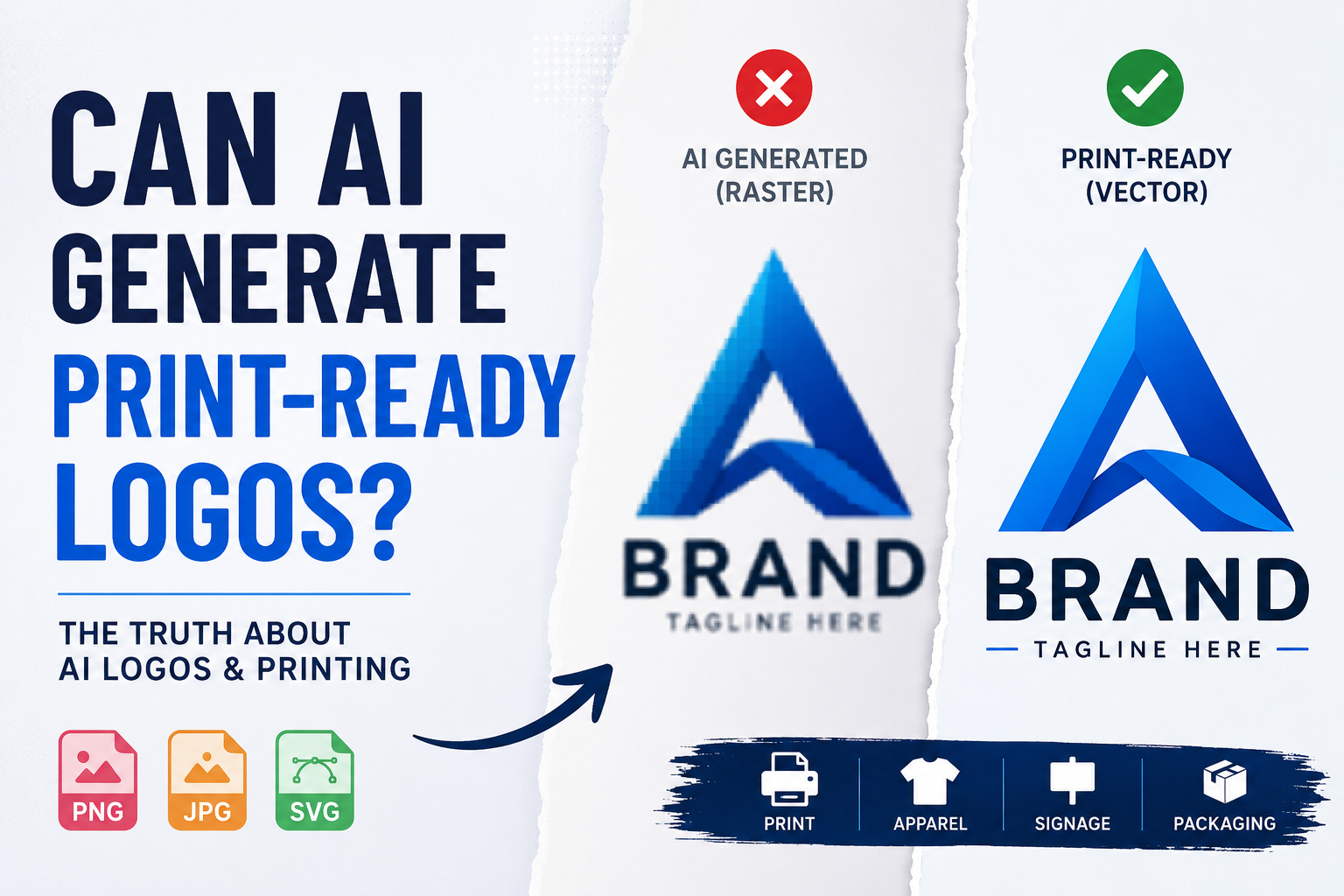
Can AI generate print-ready logos? AI logo generators have become incredibly popular, but many designers and business owners don’t realize that most AI-generated logos are not suitable for professional printing. Tools like Midjourney, Adobe Firefly, DALL·E, Looka, and Canva AI can produce surprisingly good-looking logo concepts in seconds. Type a prompt, pick a style, and within moments you have something that looks polished on your screen.
But here is the question nobody asks until it is too late: can an AI-generated logo actually be used for print?
The short answer is no — not directly. And understanding why is going to save you from a very expensive mistake.
AI-Generated Logo vs Print-Ready Vector Logo
| Feature | AI-Generated Logo | Print-Ready Vector Logo |
|---|---|---|
| File Format | Usually PNG or JPG | AI, EPS, SVG, PDF |
| Scalability | Loses quality when enlarged | Scales cleanly at any size |
| Print Quality | May look blurry or pixelated | Sharp and professional |
| Editable Artwork | Limited editing options | Fully editable in Illustrator |
| Color Control | Colors may shift in print | CMYK and Pantone-ready |
| Best Use | Concepts, previews, social media | Printing, signage, packaging, apparel |
| Professional Printing | Not recommended | Fully print-ready |
What AI Logo Generators Actually Produce
Before diving into the print problem, it helps to understand what AI logo tools are actually giving you when you hit that download button.
Most AI logo generators output one of the following:
- A PNG file — a raster image made up of pixels
- A JPG file — a compressed raster image, often with visible compression artifacts
- In some cases, a so-called SVG file — but one that is not truly vector in the professional sense
The on-screen result can look great. Clean colors, sharp edges, interesting shapes. If you are only ever going to use your logo on a website or in a social media post, you might be fine.
But the moment you try to take that file to a print shop, an embroidery digitizer, a sign maker, or a screen printer — things fall apart fast.
Why AI Logos Are Not Print-Ready
The Pixel Problem
Every AI image generator works by creating pixels. Even when the output looks smooth and clean at normal viewing size, zoom in and you will see the truth: soft edges, anti-aliasing, color blending between shapes, and gradual transitions where there should be hard lines.
This is fine for a screen. For print, it is a serious problem.
Professional printing — whether offset, screen, digital, or large-format — requires files with mathematically precise edges. Every shape needs to be defined as a clean path, not a collection of pixels that approximates a shape. When you send a pixel-based file to a print shop and ask them to blow it up to banner size, the pixels become visible, the edges go fuzzy, and the result looks amateurish.
The Resolution Trap
AI tools typically output images at 72–300 DPI. That sounds reasonable until you realize that professional print requires 300 DPI at the final output size. A logo that looks sharp at 500 pixels wide on your screen becomes blurry when printed at 5 inches wide at 300 DPI — and completely unusable at larger sizes.
Vector files do not have this problem at all. Because they are defined by mathematical paths rather than pixels, they scale to any size with zero quality loss. A proper vector logo prints just as sharply on a business card as it does on a 10-foot banner.
The Color Separation Issue
Professional printing often requires precise color separation. Spot color printing uses specific Pantone inks. Screen printing separates each color into its own layer. Embroidery assigns each thread color individually.
AI-generated logos blend colors at the pixel level. There are no clean color separations — just thousands of pixels in slightly different shades that create the visual impression of solid color. When a print shop or embroidery digitizer tries to separate those colors, the result is a mess.
The File Structure Problem
Even when an AI tool outputs an SVG file, it is rarely a proper editable vector. Most AI-generated SVGs are either embedded raster images dressed up as SVGs, or they contain poorly structured path data with thousands of unnecessary anchor points, overlapping shapes, and unclean nodes.
A professional vector file has clean, intentional anchor points. Each shape is a well-structured path. Colors are properly separated and labeled. The file opens perfectly in Adobe Illustrator or any professional design software and behaves exactly as expected.
An AI-generated SVG typically does not pass this test.
What Happens When You Send an AI Logo to a Print Shop
Let’s walk through exactly what happens in the real world when someone tries to use an AI-generated logo for production.
T-shirt printing: The print shop opens your file and immediately sees it is a raster PNG. They either decline the job, upcharge you for file preparation, or print it anyway — and the result has soft, slightly blurry edges that are visible on the finished garment.
Embroidery: The digitizer tries to use your PNG as a reference to set up the embroidery file. The colors blend at the edges, making it difficult to define clean stitch boundaries. The result often looks muddy, with colors bleeding into each other in a way that bears little resemblance to the original design.
Signage and large format: Your 500-pixel-wide PNG gets scaled up to 3 feet wide. The pixels are now visible. The edges are jagged. The sign looks unprofessional.
Screen printing: Each color needs to be on a separate film. The print shop tries to separate your AI logo into individual colors and discovers the image has hundreds of slightly different shades in what should be flat color areas. Separation is either impossible or requires significant paid work to fix.
In every one of these scenarios, the solution is the same: the AI-generated logo needs to be professionally redrawn as a clean vector file before it can be used for production.
The Real Workflow: AI Concept → Professional Vector
Here is the workflow that actually works for businesses using AI logo tools in 2026.
Step 1 — Use AI to explore concepts. AI logo generators are genuinely useful for rapid ideation. You can test dozens of directions in minutes, explore different styles, and find a visual concept that resonates. This is a legitimate and valuable use of the technology.
Step 2 — Choose your favorite concept. Once you have a direction you like, save the best AI output as a reference file. This becomes your source material — not your finished logo.
Step 3 — Have a professional redraw it as a vector. A skilled vector artist takes your AI-generated concept and manually redraws every element from scratch using clean Bézier paths, precise anchor points, and proper color separation. The result is a professional vector file in AI, EPS, SVG, and PDF formats that is genuinely ready for any production application.
Step 4 — Use your clean vector for everything. With a proper vector file in hand, your logo is ready for print, embroidery, signage, merchandise, brand guidelines, and any other application — now and in the future.
This is exactly the service Vector Refinery provides. You bring your AI-generated logo concept, and the team manually redraws it into a complete, production-ready vector file package.
Which AI Logo Tools Are People Using in 2026?
Midjourney produces visually stunning, creative logo concepts. The artistic quality is often impressive. However, outputs are always raster images with no vector structure whatsoever. Midjourney logos almost always need professional cleanup before production use.
Adobe Firefly integrates directly into Adobe’s creative tools and can export SVGs. However, these SVGs are often complex, messy, and not structured in the clean way that professional production requires. They are a step above a raw PNG but still typically need cleanup.
DALL·E / ChatGPT image generation produces creative concepts but outputs raster images only. No vector capability.
Looka and similar AI brand builders claim to produce vector files and sometimes do deliver SVGs. However, the path quality is inconsistent and the files often contain structural issues that cause problems in professional design software.
Canva AI outputs are designed for screen use. They look great in Canva and in digital contexts. They are not suitable for professional print production without conversion.
The pattern is consistent across all of these tools: excellent for concept exploration and screen-based use, they fall short for professional production. The gap between an AI concept and a production-ready file is exactly where professional vectorization services add genuine value.
What Does AI Logo Cleanup Actually Involve?
When a professional vector artist cleans up an AI-generated logo, here is what they actually do:
Path reconstruction. Every shape in the AI logo is redrawn from scratch using clean Bézier curves. Instead of pixel edges, each element becomes a mathematically precise path with intentional anchor points and smooth curves.
Color separation and cleanup. The blended, pixel-level colors in the AI output are replaced with clean, flat color fills. Each color becomes its own properly defined element. Pantone values can be assigned if needed for spot color printing.
Typography handling. If the AI logo includes text, the letterforms are either redrawn as clean paths or replaced with properly licensed fonts that match the original intent. This ensures text is crisp at any size and editable if adjustments are ever needed.
Edge cleanup. Soft, anti-aliased edges are replaced with hard, clean boundaries. Every shape meets every other shape precisely, with no gaps, overlaps, or blending zones.
File structuring. The final file is organized logically — shapes are grouped sensibly, layers are labeled clearly, and the file opens perfectly in Adobe Illustrator, Affinity Designer, CorelDRAW, and any other professional design application.
Format delivery. The finished work is delivered in a complete file package: AI, EPS, SVG, PDF, and transparent PNG. A black-and-white version is typically included as well.
The result is a logo that is visually faithful to the AI concept but structurally professional in every way that matters for production.
How Much Does AI Logo Cleanup Cost?
The cost of cleaning up an AI-generated logo is essentially the same as standard logo vectorization, because the process is the same — the artist is manually redrawing the artwork regardless of whether the source was AI-generated or a hand-drawn sketch.
At Vector Refinery, AI logo cleanup pricing follows the same transparent structure:
Basic — $25 For simple AI logos with flat colors and minimal complexity. Includes AI, SVG, and PNG files with 1 revision. Delivered within 48 hours.
Standard — $45 For mid-complexity AI logos with multiple elements, custom typography, or layered design. Includes the full file package — AI, EPS, SVG, PDF, PNG, and black-and-white versions — with 2 revisions. Delivered within 24 hours.
Premium — $85 For complex AI-generated artwork with detailed illustration, gradients, or intricate elements. Includes the full file package, print and embroidery optimization, unlimited revisions, and priority delivery in 12–24 hours.
Not sure which tier fits your AI logo? Upload it and get a free assessment before committing to any package.
Is It Worth Using AI for Logo Design at All?
This is a fair question, and the honest answer is: yes, with realistic expectations.
AI logo tools are genuinely useful for the concept and exploration phase of brand development. They are fast, affordable, and capable of producing visually interesting directions that would take a human designer hours to explore manually. For a small business owner or startup founder who needs to test a few visual directions quickly, AI tools are a legitimate resource.
The mistake is treating the AI output as the finished product. It is not. It is a starting point — a concept file that communicates intent and direction but is not ready for the real world.
Think of it this way: an architect’s first sketch is not a building. A rough written outline is not a finished book. An AI logo concept is not a production-ready brand asset. Each of these needs professional work to become the real thing.
Using AI to generate the concept and then investing in professional vectorization to make it production-ready is a smart, efficient workflow. You get the speed and variety of AI combined with the quality and reliability of professional manual craftsmanship. The total investment is a fraction of what a full custom logo design from scratch would cost, and the result is a file you can use confidently for every application your brand demands.
Signs Your AI Logo Needs Professional Cleanup
Not sure if your AI-generated logo needs to be cleaned up before use? Here are the clear signs:
Your file is a PNG or JPG. If the file your AI tool gave you ends in .png or .jpg, it is a raster image and cannot be used for professional print production without conversion.
The edges look soft when zoomed in. Open your logo in any image viewer and zoom in to 300–400%. If the edges of shapes look soft, blurry, or slightly gradient, the file is raster-based and will not print cleanly.
Your print shop asked for an EPS or AI file. This is the clearest sign. Print shops ask for vector files because they know raster files will not produce acceptable results. If you have been asked for an EPS or AI file and you only have a PNG, you need vectorization.
Your embroidery service rejected the file. Embroidery digitizers work with vector references to set up stitch files. A raster PNG is not a suitable reference for embroidery production.
The file looks different colors when printed. RGB colors used on screens and CMYK colors used in print are different. AI-generated logos are created in RGB. Without a proper vector conversion that includes CMYK color adjustment, your printed logo may look noticeably different from what you see on screen.
Any one of these signs means your AI logo needs professional cleanup before it is ready for production use.
Get Your AI Logo Cleaned Up by Vector Refinery
Vector Refinery specializes in AI generated logo cleanup — manually redrawing AI concepts into clean, professional, production-ready vector files. Every project is done by hand with no auto-trace, no shortcuts, and no compromises on quality.
The team has completed over 1,200 projects for clients worldwide, including print shops, apparel brands, embroidery businesses, sign makers, and brand owners who started with an AI concept and needed a real vector file to bring it to life.
Packages start at $25, with delivery as fast as 12–24 hours. Upload your AI logo and get a free assessment before you pay — you will know exactly what you are getting and what it will cost before the work begins.
Frequently Asked Questions
Can I use an AI-generated logo for printing without any changes? In most cases, no. AI logo tools output raster images — PNG or JPG files — that are not suitable for professional print, embroidery, or signage. They need to be converted to clean vector files before production use.
What is wrong with the SVG files some AI tools produce? AI-generated SVGs are often either embedded raster images or poorly structured path data with excessive anchor points and messy construction. A professional vector SVG has clean, intentional paths and opens correctly in professional design software.
How do I know if my AI logo can be cleaned up? Almost any AI logo concept can be cleaned up and vectorized, regardless of complexity. Upload your file at Vector Refinery for a free assessment and the team will tell you exactly what is possible.
Will the cleaned-up vector look exactly like my AI logo? Very close. The goal is to faithfully recreate the AI concept in clean vector form. Some minor adjustments may be made to improve sharpness, consistency, and production suitability, but the visual intent of the original is preserved.
How long does AI logo cleanup take? Standard orders are completed within 24 hours. Premium and complex artwork is completed within 12–24 hours. Rush delivery within 6 hours may be available on request.
Can you fix an AI logo that has blurry edges or mixed colors? Yes. This is exactly what the cleanup process addresses — rebuilding the artwork with clean edges, flat color separation, and precise paths that perform correctly in any production environment.
Do I need to provide anything other than the AI logo file? Just the file is fine. If you have notes about colors, fonts, or specific details you want preserved, include those with your order. The team will factor them into the redraw.
Published by Vector Refinery — Professional AI Generated Logo Cleanup and Image to Vector Conversion Service. Visit vectorrefinery.com for portfolio samples, pricing, and to start your order.
