

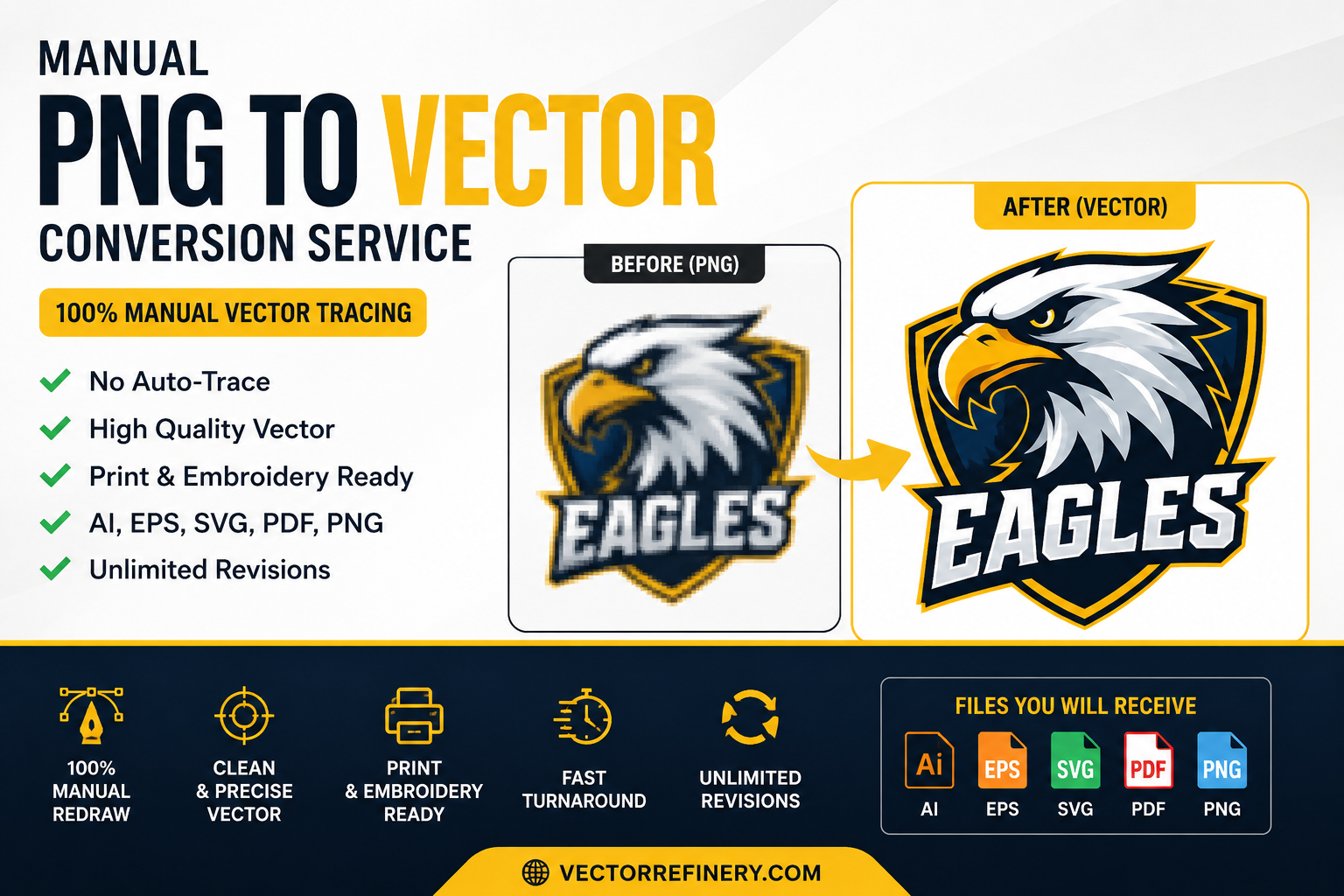
In today’s digital and print industry, high-quality vector files are essential for professional branding, printing, embroidery, signage, apparel, and marketing materials. Many businesses still use low-resolution PNG or JPG images that become blurry when resized. That’s where manual PNG to vector conversion becomes important.
At VectorRefinery, we specialize in manually converting raster images into clean, scalable vector artwork without using auto-trace software. This ensures professional-quality vector files that are ready for printing, embroidery, laser cutting, screen printing, vehicle wraps, and branding applications.
Whether you need logo vectorization, AI-generated logo cleanup, SVG conversion, or print-ready artwork, understanding how vector conversion works can save time, improve quality, and protect your brand identity.
What Is PNG to Vector Conversion?
PNG to vector conversion is the process of recreating a raster image into scalable vector artwork using professional vector software such as Adobe Illustrator.
Raster images like PNG, JPG, JPEG, or WEBP are made of pixels. When enlarged, these images lose quality and become blurry or pixelated.
Vector files are different.
Vector graphics are built using mathematical paths, curves, anchor points, and shapes. This allows the artwork to scale infinitely without losing quality.
Common vector file formats include:
- AI
- EPS
- SVG
- DXF
A professionally vectorized logo can be used for:
- Business cards
- Embroidery
- Screen printing
- Large-format signage
- Packaging
- Apparel branding
- Vehicle decals
- Laser engraving
- CNC cutting
- Promotional products
Why Manual Vector Tracing Is Better Than Auto-Trace
Many online tools claim to convert PNG to vector instantly using auto-trace technology. While fast, these tools usually create messy paths, rough curves, unnecessary anchor points, and inaccurate geometry.
Manual vector tracing produces far better results.
At VectorRefinery, every artwork is manually redrawn for clean curves, proper spacing, balanced geometry, and production-ready quality.
Benefits of manual vector conversion include:
1. Clean Geometry
Manual redraw ensures smooth curves and balanced shapes.
2. Minimal Anchor Points
Professional vector files should have efficient path structures.
3. Better Embroidery Results
Messy auto-traced files often fail during embroidery digitizing.
4. Print-Ready Accuracy
Manual vector files are cleaner for screen printing, offset printing, and signage production.
5. Better Scalability
A manually recreated logo maintains sharp quality at any size.
Raster vs Vector: Understanding the Difference
Understanding raster and vector graphics is essential for businesses and designers.
Raster Images
Raster files include:
- PNG
- JPG
- JPEG
- GIF
- WEBP
Raster images are pixel-based and resolution-dependent.
Problems with raster graphics:
- Blurry when enlarged
- Poor print quality
- Difficult to edit professionally
- Not ideal for embroidery or signage
Vector Images
Vector files include:
- AI
- SVG
- EPS
Vector graphics are scalable and editable.
Advantages of vector graphics:
- Infinite scalability
- Crisp print quality
- Easy color editing
- Perfect for production
- Professional branding compatibility
Best File Formats for Vector Graphics
Different industries require different vector formats.
AI Files
Adobe Illustrator source files used for professional editing.
EPS Files
Widely accepted in printing and signage industries.
SVG Files
Perfect for websites, apps, Cricut machines, and responsive digital graphics.
PDF Vector Files
Used for print-ready production and client approvals.
Industries That Need Vector Conversion Services
Professional vector files are essential across many industries.
Apparel & Clothing Brands
Fashion brands require vector logos for:
- Screen printing
- Heat press
- Embroidery
- Clothing tags
Print Shops
Print companies need clean vector files for:
- Banners
- Flyers
- Packaging
- Large-format prints
Embroidery Businesses
Embroidery machines require simplified vector artwork for digitizing.
Signage Companies
Vehicle wraps, storefront signs, and billboards require scalable vector graphics.
Small Businesses
Business owners often need logo vectorization for professional branding materials.
AI-Generated Logos Still Need Professional Vector Cleanup
AI-generated logos have become increasingly popular, but most AI-generated images are not production-ready.
Common issues with AI logos:
- Uneven curves
- Distorted symmetry
- Poor typography spacing
- Pixelation
- Unusable print quality
Professional manual vector cleanup fixes these problems.
At VectorRefinery, we manually rebuild AI-generated artwork into clean, scalable vector files suitable for professional use.
How Professional Logo Vectorization Works
Our manual vector conversion workflow includes:
Step 1: Image Review
We analyze the logo or artwork quality.
Step 2: Manual Redraw
The design is recreated using professional vector paths.
Step 3: Typography Refinement
Fonts and spacing are corrected for visual balance.
Step 4: Color Matching
Colors are recreated accurately using RGB, HEX, CMYK, or Pantone values.
Step 5: File Export
Final vector files are exported in:
- AI
- EPS
- SVG
- PNG
Common Uses for Vector Files
Professional vector graphics are used for:
- Logo printing
- Embroidery digitizing
- Packaging
- Stickers
- Apparel
- Laser engraving
- Vehicle decals
- Social media branding
- Signage
- Business cards
- Website graphics
Why Businesses Choose Professional Vector Services
Businesses rely on clean vector files because poor artwork can damage brand credibility.
Professional vector conversion helps businesses:
- Maintain consistent branding
- Improve print quality
- Save production costs
- Avoid blurry logos
- Scale artwork professionally
How to Choose the Right Vector Conversion Service
When choosing a vector conversion provider, look for:
Manual Redraw Experience
Avoid services relying only on auto-trace software.
Production Knowledge
Your provider should understand:
- Printing
- Embroidery
- Signage
- Packaging
File Delivery Standards
A professional service should provide:
- AI
- EPS
- SVG
- Transparent PNG
Portfolio Examples
Always review before-and-after vector samples.
Why VectorRefinery Focuses on Manual Quality
At VectorRefinery, we focus on clean geometry, balanced curves, professional typography spacing, and production-ready vector artwork.
We do not rely on messy auto-trace outputs.
Every project is manually recreated to ensure:
- Clean scalability
- Sharp print quality
- Embroidery compatibility
- Professional branding standards
Our vector conversion services support:
- Small businesses
- Print shops
- Clothing brands
- Agencies
- Signage companies
- Marketing teams
Frequently Asked Questions
What is the best format for logo printing?
Vector formats such as AI, EPS, and PDF are best for professional printing.
Can low-quality images be converted into vectors?
Yes. Manual vector redraw can recreate most low-resolution artwork.
Is SVG better than PNG?
SVG is scalable and ideal for web graphics, while PNG is pixel-based.
Do vector files lose quality?
No. Vector graphics scale infinitely without losing resolution.
Why is manual vector tracing better?
Manual redraw produces cleaner curves, better geometry, and professional production quality.
Final Thoughts
Professional vector artwork is essential for modern branding, printing, embroidery, signage, and digital design.
While automated tools may seem convenient, manual vector conversion provides significantly better quality, cleaner geometry, and more reliable production results.
If you need professional PNG to vector conversion, logo vectorization, SVG creation, or AI-generated logo cleanup, VectorRefinery provides clean, scalable, production-ready vector files built manually for professional use.
Whether your artwork is for embroidery, print, signage, apparel, packaging, or branding, investing in high-quality vector files helps ensure your brand always looks sharp, professional, and scalable across every platform.
