

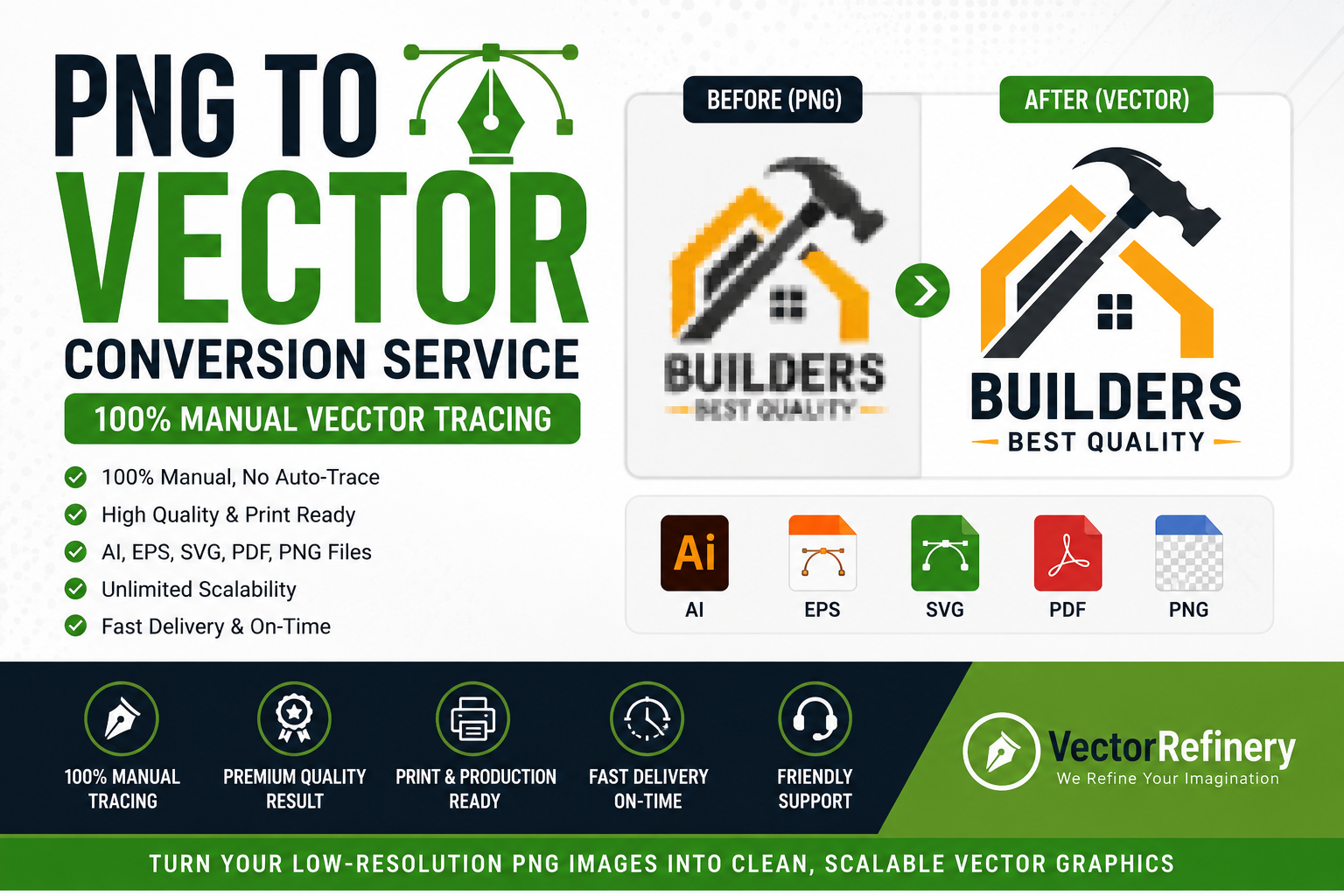
If you have a logo, image, sketch, or graphic saved as a PNG file, chances are you’ve encountered quality issues when trying to enlarge it for printing, signage, embroidery, apparel, vehicle wraps, promotional products, or large-format marketing materials.
A PNG file may look acceptable on a computer screen, but when enlarged, the image often becomes blurry, pixelated, and unprofessional. This is where a professional PNG to Vector Conversion Service becomes essential.
Vector graphics are the industry standard for logos, branding materials, commercial printing, signage, embroidery preparation, packaging, apparel decoration, and marketing assets. Unlike raster images such as PNG, JPG, JPEG, GIF, and BMP files, vector files can be scaled to any size without losing quality.
In this guide, you’ll learn everything about PNG to vector conversion, why manual vector tracing produces superior results, how businesses use vector graphics, and how professional vector artwork helps brands maintain a consistent and polished appearance.
What Is a PNG File?
PNG stands for Portable Network Graphics. It is one of the most commonly used image formats on the internet because it supports transparency and maintains good image quality.
PNG files are made up of tiny colored squares called pixels.
When viewed at their intended size, PNG images often appear sharp and clean. However, every PNG image has a fixed number of pixels. When enlarged beyond its original dimensions, those pixels become visible and the image loses quality.
Common PNG limitations include:
- Pixelation when enlarged
- Blurry edges
- Poor print quality
- Difficulty editing individual elements
- Unsuitable for professional manufacturing processes
- Not ideal for large-format printing
These limitations often create problems when businesses need to use their logos across multiple applications.
What Is a Vector File?
A vector file is a graphic created using mathematical paths rather than pixels.
Instead of storing information as colored squares, vector graphics store information as lines, curves, shapes, and anchor points.
Because vector graphics are mathematically generated, they can be scaled infinitely without losing quality.
Whether displayed on a business card or a billboard, the artwork remains perfectly sharp.
Common vector file formats include:
- AI (Adobe Illustrator)
- EPS
- SVG
- PDF (Vector PDF)
- DXF
- CDR
Professional designers, printers, sign makers, apparel manufacturers, and marketing agencies prefer vector files because they provide maximum flexibility and quality.
Why Businesses Need PNG to Vector Conversion
Many businesses only have access to an old PNG version of their logo.
Common situations include:
- Lost original design files
- Former designer unavailable
- Logo downloaded from website
- Low-resolution logo from social media
- Screenshot of existing logo
- Old scanned artwork
- Legacy branding materials
Without a vector version, businesses often struggle with:
- Printing problems
- Sign production issues
- Embroidery limitations
- Poor brand consistency
- Low-quality promotional materials
Professional PNG to vector conversion solves these challenges by recreating the artwork as clean, scalable vector graphics.
Benefits of Professional PNG to Vector Conversion
Unlimited Scalability
Vector graphics can be enlarged from a small business card to a massive billboard without quality loss.
This flexibility makes vector files essential for modern branding.
Crisp, Sharp Edges
Unlike pixel-based images, vector graphics maintain clean edges regardless of size.
This results in a more professional appearance.
Easier Editing
Vector artwork allows designers to:
- Change colors
- Modify text
- Resize elements
- Rearrange components
- Create alternate versions
without rebuilding the design from scratch.
Better Printing Results
Commercial printers prefer vector files because they produce cleaner output and reduce production errors.
Ideal for Embroidery
Embroidery digitizers often require clean vector artwork as a starting point.
Vector files help ensure better stitch quality and more accurate results.
Manual Vector Conversion vs Auto Trace
One of the biggest mistakes businesses make is relying on automatic vector tracing software.
Although auto-trace tools promise quick results, they rarely produce professional-quality artwork.
What Is Auto Trace?
Auto trace software attempts to convert pixels into vector shapes automatically.
Popular tools include:
- Adobe Illustrator Image Trace
- Corel PowerTRACE
- Online vector converters
- AI-based tracing tools
While these tools can create a basic vector file, the resulting artwork often contains thousands of unnecessary anchor points and irregular shapes.
Common Problems with Auto Trace
- Jagged curves
- Uneven outlines
- Excessive anchor points
- Distorted text
- Poor shape accuracy
- Difficult editing
- Larger file sizes
Why Manual Vector Tracing Is Better
Professional designers manually redraw the artwork using vector tools.
This process creates:
- Smooth curves
- Accurate geometry
- Cleaner paths
- Better scalability
- Easier editing
- Professional production quality
Manual vector tracing takes more time but delivers dramatically better results.
Industries That Need PNG to Vector Conversion
Professional vector artwork is used across countless industries.
Construction Companies
Roofing companies, contractors, landscapers, plumbers, electricians, and builders frequently need vector logos for:
- Vehicle wraps
- Uniforms
- Yard signs
- Marketing materials
Apparel Brands
Fashion brands require vector graphics for:
- Screen printing
- Embroidery
- Heat transfers
- Product packaging
Restaurants
Restaurants use vector logos on:
- Menus
- Packaging
- Signage
- Uniforms
- Promotional materials
Real Estate Companies
Real estate agencies need vector artwork for:
- Property signs
- Business cards
- Advertising
- Branded materials
Manufacturing Businesses
Manufacturers often require vector files for:
- Product labeling
- Packaging
- Equipment branding
- Industrial printing
Common Types of PNG Files That Can Be Converted
A professional PNG to vector conversion service can recreate:
- Business logos
- Company branding
- Hand-drawn sketches
- Artwork illustrations
- Mascots
- Emblems
- Badges
- Monograms
- Sign graphics
- Product labels
- Decals
- Vehicle graphics
- Apparel artwork
The quality of the source image affects complexity but almost any design can be recreated manually.
The Professional PNG to Vector Conversion Process
Step 1: Artwork Evaluation
The original PNG file is reviewed to determine:
- Resolution quality
- Design complexity
- Missing details
- Required output formats
Step 2: Manual Redrawing
Professional designers recreate the artwork using vector paths.
Every curve, line, and shape is rebuilt for accuracy.
Step 3: Typography Recreation
If fonts are unavailable, lettering is carefully recreated to match the original design.
Step 4: Color Matching
Brand colors are matched as accurately as possible.
This may include:
- RGB colors
- CMYK colors
- Pantone references
Step 5: Quality Control
The vector artwork is inspected for:
- Smooth curves
- Clean anchor points
- Accurate proportions
- Production readiness
Step 6: Exporting Deliverables
Final files are exported in professional formats such as:
- AI
- EPS
- SVG
- PNG
PNG to Vector for Printing
Professional printing companies prefer vector artwork because it provides:
- Sharper output
- Better color control
- Cleaner edges
- Consistent quality
Common print applications include:
- Business cards
- Brochures
- Flyers
- Banners
- Posters
- Packaging
- Trade show displays
Without vector artwork, print quality often suffers significantly.
PNG to Vector for Embroidery
Embroidery requires artwork that can be interpreted into stitch patterns.
Vector files provide:
- Clear outlines
- Better stitch planning
- Improved accuracy
- Cleaner embroidery results
Many embroidery companies request vector artwork before beginning digitization.
PNG to Vector for Signage
Sign companies use vector files for:
- Storefront signs
- Channel letters
- Vehicle graphics
- Window decals
- Trade show displays
Vector graphics ensure crisp edges even at very large sizes.
PNG to Vector for Apparel Printing
Apparel decorators use vector artwork for:
- Screen printing
- Direct-to-film printing
- Heat transfers
- Vinyl cutting
Vector graphics help maintain quality across different garment sizes and production methods.
What File Formats Should You Request?
AI
The native Adobe Illustrator format.
Ideal for professional editing.
EPS
Industry-standard vector exchange format.
Accepted by most print providers.
SVG
Perfect for websites and digital applications.
Useful for sharing and printing.
Transparent PNG
Excellent for everyday marketing use.
A complete vector package typically includes all of these formats.
How to Choose the Right PNG to Vector Conversion Service
When selecting a service provider, consider:
Manual Tracing
Choose providers who manually redraw artwork rather than relying solely on auto-trace tools.
Experience
Review previous vector conversion examples and portfolios.
Production Knowledge
The provider should understand printing, signage, embroidery, and manufacturing requirements.
Multiple File Formats
Ensure delivery includes:
- AI
- EPS
- SVG
- PNG
Quality Assurance
Look for clean paths, smooth curves, and organized artwork.
Frequently Asked Questions
Can any PNG file be converted to vector?
Yes. Most PNG images can be manually recreated as vector artwork regardless of quality.
Will the vector file look exactly the same?
Professional manual conversion aims to match the original artwork as closely as possible while improving quality.
What if my PNG is blurry?
Even blurry logos can often be recreated manually by an experienced vector artist.
Is SVG a vector format?
Yes. SVG is a widely used vector format suitable for websites and digital applications.
Do I need AI and EPS files?
Yes. These formats provide maximum compatibility for future editing and commercial printing.
Is manual vector tracing better than auto trace?
Absolutely. Manual tracing creates cleaner, more accurate, and more professional results.
Final Thoughts
A professional PNG to Vector Conversion Service is one of the most valuable investments a business can make in its brand identity.
Whether you need a logo for printing, signage, embroidery, apparel decoration, packaging, vehicle wraps, or marketing materials, vector artwork provides the quality, flexibility, and scalability required for professional production.
Unlike pixel-based PNG files, vector graphics remain sharp at any size, are easier to edit, and ensure consistent branding across all applications.
If your only logo file is a PNG image, converting it into professionally redrawn vector artwork will help future-proof your brand and eliminate production limitations.
For businesses that value quality, consistency, and professional presentation, manual vector conversion remains the gold standard.
