

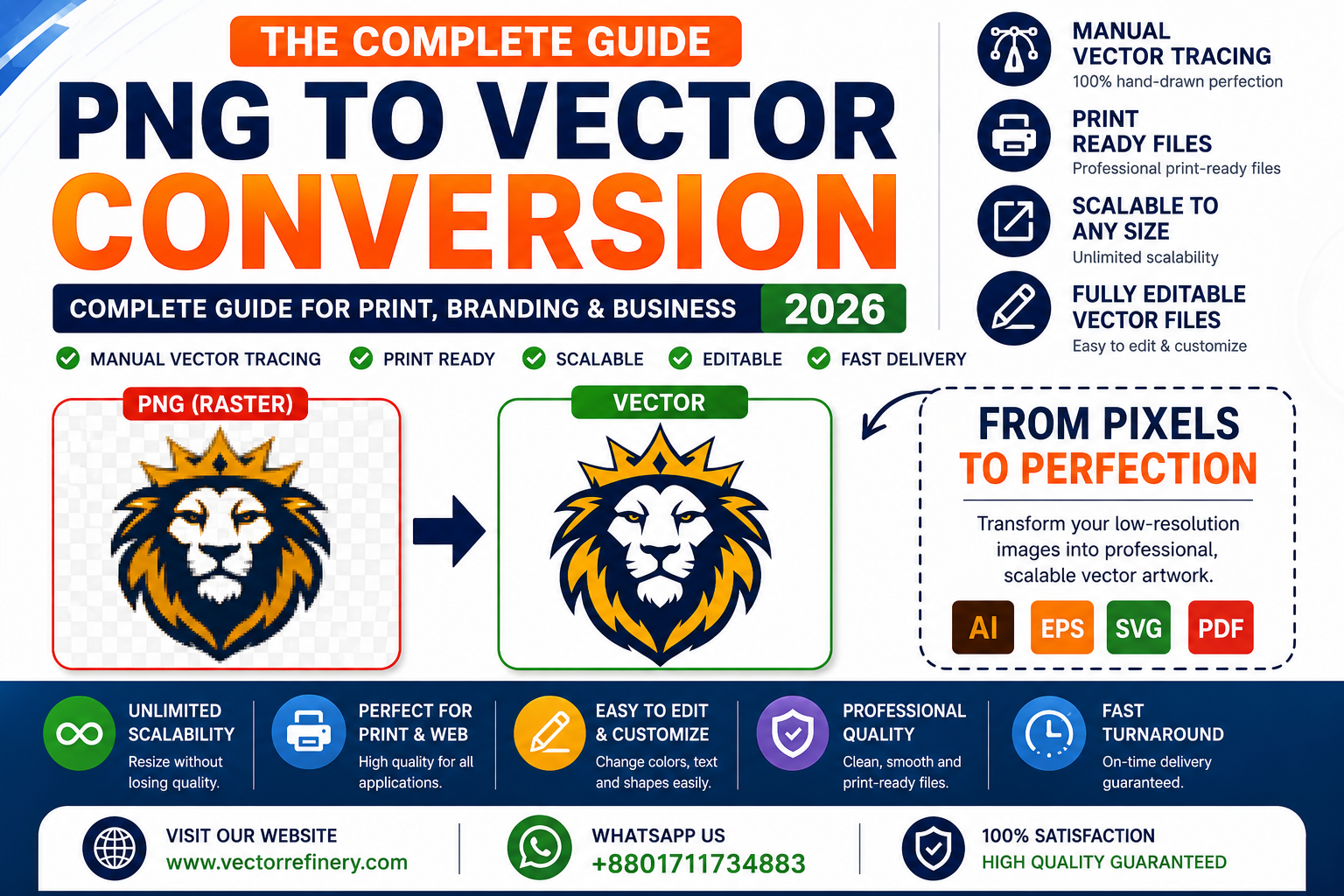
If you only have a PNG, JPG, screenshot, or low-resolution logo, you’re not alone. Many businesses discover that their logo looks fine on a website but becomes blurry, pixelated, or unprofessional when used for printing, embroidery, signage, packaging, or promotional products.
This is where PNG to Vector Conversion becomes essential.
Professional vector files allow your logo and artwork to remain sharp, scalable, and production-ready at any size. Whether you’re printing business cards, creating vehicle wraps, producing embroidered apparel, or launching a new brand, vector graphics provide the flexibility and quality required for professional results.
In this complete guide, you’ll learn everything you need to know about PNG to Vector Conversion, including how it works, why it matters, common file formats, manual vector tracing, and how businesses use vector graphics every day.
What Is PNG to Vector Conversion?
PNG to Vector Conversion is the process of converting a pixel-based image into a scalable vector graphic.
PNG files are raster images made up of thousands of tiny pixels. When enlarged, those pixels become visible, causing blurry edges and loss of quality.
Vector graphics work differently. Instead of pixels, they use mathematical paths, curves, and shapes. This allows them to be resized from a small website icon to a large billboard without any loss of quality.
Professional vector files are typically delivered in formats such as:
- AI (Adobe Illustrator)
- EPS
- SVG
- Vector PDF
These formats are widely accepted by printers, sign companies, apparel decorators, marketing agencies, and manufacturers.
Raster vs Vector Graphics
Before converting a file, it’s important to understand the difference between raster and vector graphics.
Raster Graphics
Raster images are made up of pixels.
Common raster formats include:
- PNG
- JPG
- JPEG
- GIF
- BMP
- TIFF
Raster graphics are ideal for photographs but have limitations when scaling.
Vector Graphics
Vector graphics are built using paths and shapes.
Common vector formats include:
- AI
- EPS
- SVG
Vector files can be enlarged infinitely while maintaining sharp edges and clean lines.
Why the Difference Matters
Imagine printing a logo on:
- A business card
- A banner
- A vehicle wrap
- A storefront sign
A raster logo may become blurry when enlarged, while a vector logo remains perfectly crisp.
This is why professional branding almost always relies on vector artwork.
Why Businesses Need Vector Files
Many business owners don’t realize they need vector files until a printer, sign company, or embroidery shop requests them.
Vector files are essential for:
Professional Printing
Commercial printers typically prefer:
- AI files
- EPS files
- Vector PDFs
These formats ensure clean output and accurate reproduction.
Branding
A professional brand requires artwork that works across:
- Websites
- Social media
- Packaging
- Business cards
- Marketing materials
Vector files provide that flexibility.
Signage
Large-format signs often require artwork several feet wide.
Without vector graphics, quality quickly deteriorates.
Embroidery
Embroidery digitizers often work more efficiently when provided with clean vector artwork.
Promotional Products
Items such as:
- Mugs
- Pens
- T-shirts
- Bags
- Towels
- Drinkware
often require vector artwork before production begins.
Benefits of PNG to Vector Conversion
Unlimited Scalability
Resize artwork without losing quality.
Professional Appearance
Vector graphics feature:
- Sharp edges
- Smooth curves
- Consistent proportions
- Clean geometry
Easier Editing
Colors, text, shapes, and layouts can be updated easily.
Better Printing Results
Vector artwork provides superior print quality compared to raster images.
Long-Term Asset Protection
Once your logo exists as a vector file, it can be used for virtually any future application.
Manual Vector Tracing vs Auto Trace
Not all vector conversions are created equal.
Auto Trace
Many online tools use automated tracing technology.
Common issues include:
- Jagged curves
- Excess anchor points
- Distorted shapes
- Inaccurate details
While auto trace may work for simple artwork, it rarely meets professional production standards.
Manual Vector Tracing
Manual vector tracing involves recreating artwork by hand using professional design software.
Benefits include:
- Clean paths
- Smooth curves
- Accurate proportions
- Better scalability
- Professional-quality results
For logos, branding, and commercial printing, manual vector tracing is generally the preferred approach.
Common Vector File Formats Explained
AI
Adobe Illustrator’s native format.
Best for:
- Designers
- Agencies
- Brand management
EPS
An industry-standard vector format.
Best for:
- Printing
- Manufacturing
- Promotional products
SVG
A web-friendly vector format.
Best for:
- Websites
- Mobile apps
- User interfaces
A versatile format for sharing and printing.
Best for:
- Client approvals
- Print production
- Documentation
Common Artwork That Can Be Vectorized
Professional vector conversion services can recreate:
Logos
Company logos, startup logos, and brand marks.
Illustrations
Icons, symbols, and graphic elements.
Low-Resolution Artwork
Old logos, screenshots, scans, and blurry graphics.
Hand-Drawn Sketches
Concepts can be transformed into clean vector artwork.
AI-Generated Logos
Many AI-generated designs benefit from professional vector cleanup and refinement.
Industries That Frequently Need Vector Artwork
Printing Companies
Require vector files for accurate output.
Apparel Brands
Need vectors for screen printing and embroidery.
Marketing Agencies
Use editable artwork across campaigns and client projects.
Sign Companies
Depend on scalable graphics for large-format production.
Manufacturers
Use vector artwork for packaging, labels, and product branding.
Startups and Small Businesses
Need flexible logo files that work everywhere.
Logo Vectorization Explained
Logo vectorization is one of the most common graphic design services.
Businesses often only have:
- PNG files
- JPG files
- Website screenshots
- Social media graphics
Professional vectorization recreates the logo using clean paths and editable shapes.
This allows the logo to be used across all branding applications without quality loss.
AI-Generated Logo Cleanup
AI-generated logos have become increasingly popular.
However, many AI-generated files contain:
- Uneven spacing
- Distorted geometry
- Poor typography
- Low-resolution exports
Professional cleanup helps transform AI-generated concepts into production-ready brand assets.
This process may include:
- Rebuilding shapes
- Improving spacing
- Refining typography
- Creating vector files
- Preparing print-ready deliverables
Signs Your Logo Needs Vectorization
You likely need vector conversion if:
- Your logo becomes blurry when enlarged.
- You only have PNG or JPG files.
- A printer requests an AI or EPS file.
- An embroidery company asks for vector artwork.
- Your logo was created years ago and source files are missing.
- You want editable artwork for future use.
How Professional PNG to Vector Conversion Works
Step 1: Artwork Review
The original image is evaluated.
Step 2: Manual Recreation
Artwork is rebuilt using vector paths.
Step 3: Refinement
Curves, shapes, and proportions are optimized.
Step 4: Quality Control
Artwork is checked for consistency and accuracy.
Step 5: File Delivery
Final files are exported in professional formats.
Frequently Asked Questions
What is PNG to Vector Conversion?
It is the process of converting a pixel-based image into scalable vector artwork.
Can every PNG be converted into a vector?
Most logos, icons, illustrations, and artwork can be recreated as vectors.
What is the best vector file format?
AI and EPS are industry standards, while SVG is ideal for web use.
Why do printers request vector files?
Vector files provide cleaner, sharper, and more reliable print results.
Is manual vector tracing better than auto trace?
For professional logos and branding, manual vector tracing generally produces superior results.
Conclusion
PNG to Vector Conversion is an essential process for businesses that need professional, scalable artwork. Whether you’re preparing files for printing, embroidery, signage, packaging, apparel, or branding, vector graphics provide the quality and flexibility required for long-term success.
A professionally recreated vector file ensures your logo remains sharp, editable, and production-ready across every platform and application.
If you only have a PNG, JPG, screenshot, or low-resolution logo, converting it into a clean vector file is one of the best investments you can make for your brand.
Need Professional PNG to Vector Conversion?
VectorRefinery specializes in manual vector tracing, logo vectorization, image-to-vector conversion, AI logo cleanup, and production-ready vector artwork.
Contact us today to transform your low-resolution graphics into clean, scalable vector files ready for print, branding, embroidery, signage, and digital use.
