

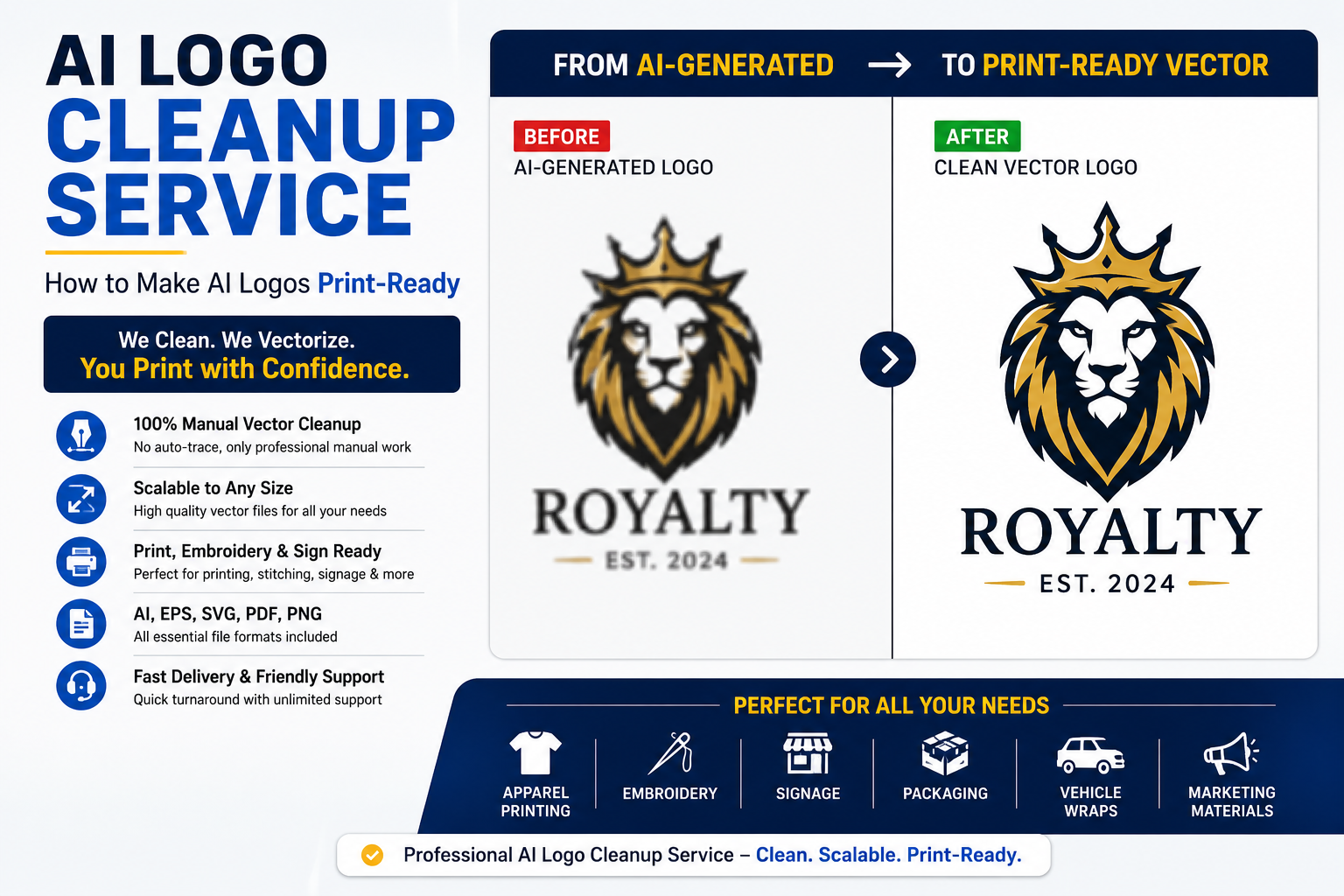
Artificial Intelligence has made logo creation faster and more accessible than ever before. Today, business owners, startups, entrepreneurs, and content creators can generate logo concepts within minutes using AI-powered design tools.
While AI-generated logos are excellent for brainstorming and inspiration, they often fall short when it comes to professional branding, printing, embroidery, signage, and commercial production.
Many business owners discover this problem only after attempting to print their logo on business cards, apparel, banners, packaging, promotional products, or large-format signs.
This is where a professional AI Logo Cleanup Service becomes essential.
In this guide, we’ll explain why AI-generated logos require cleanup, common issues found in AI artwork, and how professional vector refinement transforms AI-generated concepts into production-ready brand assets.
What Is an AI Logo Cleanup Service?
An AI Logo Cleanup Service is the process of manually refining, rebuilding, and vectorizing AI-generated logos to ensure they meet professional design and printing standards.
Instead of relying on automated tracing tools, experienced vector artists manually recreate the artwork using clean vector paths and editable shapes.
The final result is a high-quality logo suitable for:
- Commercial printing
- Embroidery
- Vehicle wraps
- Signage
- Packaging
- Promotional products
- Social media branding
- Website use
- Large-format printing
Professional cleanup ensures that the logo maintains quality at any size without pixelation or distortion.
Common Problems with AI-Generated Logos
Although AI design tools produce impressive concepts, they frequently generate technical issues that can create problems during production.
1. Poor Vector Structure
Many AI-generated logos are exported as raster images rather than true vector artwork.
Common issues include:
- Jagged edges
- Broken shapes
- Uneven curves
- Distorted geometry
These flaws become highly visible when the logo is enlarged.
2. Inconsistent Typography
AI often struggles with typography.
Common typography problems include:
- Incorrect letter spacing
- Uneven alignment
- Distorted characters
- Unreadable text
Professional cleanup ensures consistent and balanced typography.
3. Low Resolution Files
Most AI logo generators export PNG or JPG files.
These formats become blurry when scaled for:
- Banners
- Storefront signs
- Trade show displays
- Vehicle graphics
Vector reconstruction solves this issue completely.
4. Excessive Detail
AI logos often contain unnecessary decorative elements.
These details may disappear when:
- Embroidered
- Engraved
- Screen printed
- Reduced in size
Cleanup simplifies the design while preserving the original concept.
5. Color Inconsistencies
AI-generated artwork may contain:
- Random gradients
- Unbalanced colors
- Printing incompatibilities
Professional cleanup creates consistent color systems suitable for commercial use.
Why Print Shops Often Reject AI Logos
Many print providers require vector files.
Typical accepted formats include:
- AI
- EPS
- SVG
When customers submit low-resolution AI-generated PNG files, print shops often request professional vector artwork.
Without proper vectorization, production quality can suffer significantly.
The Professional AI Logo Cleanup Process
Step 1: Artwork Evaluation
The logo is carefully reviewed to identify:
- Resolution issues
- Shape inconsistencies
- Typography problems
- Color concerns
Step 2: Manual Vector Recreation
Rather than using auto-trace software, each element is manually recreated using vector paths.
This produces:
- Smooth curves
- Clean edges
- Precise geometry
- Editable artwork
Step 3: Typography Refinement
Text elements are rebuilt to improve:
- Readability
- Alignment
- Consistency
- Professional appearance
Step 4: Color Optimization
Colors are standardized for:
- Print production
- Digital applications
- Brand consistency
Step 5: Production Testing
The logo is tested at multiple sizes to ensure performance across different applications.
Benefits of Professional AI Logo Cleanup
Unlimited Scalability
Vector artwork can be enlarged without losing quality.
Better Brand Consistency
A refined logo creates a more professional appearance across all marketing materials.
Print-Ready Files
You receive files compatible with:
- Commercial printers
- Embroidery shops
- Sign manufacturers
- Promotional product suppliers
Editable Artwork
Future modifications become easier because the artwork remains fully editable.
Industries That Benefit from AI Logo Cleanup
Professional cleanup services are commonly used by:
- Startups
- Small businesses
- E-commerce brands
- Restaurants
- Construction companies
- Law firms
- Real estate agencies
- Coaches and consultants
- Apparel brands
- Marketing agencies
AI Logo Cleanup vs Auto Trace
Auto Trace
Pros:
- Fast
- Cheap
Cons:
- Poor quality
- Excess anchor points
- Jagged curves
- Difficult editing
Manual Vector Cleanup
Pros:
- Clean artwork
- Professional quality
- Editable files
- Better printing results
Cons:
- Requires professional expertise
For serious business branding, manual cleanup is always the preferred solution.
File Formats You Should Receive
A professional AI logo cleanup service should provide:
- AI
- EPS
- SVG
- Transparent PNG
These formats ensure compatibility across print and digital platforms.
Frequently Asked Questions
Can AI-generated logos be converted into vector files?
Yes. Professional vector artists can manually rebuild AI-generated logos into clean vector artwork.
Is auto-trace sufficient?
For professional branding and printing, manual vector recreation produces significantly better results.
Can you improve blurry AI logos?
Yes. Most blurry AI-generated logos can be manually recreated and refined.
Which file format is best?
SVG, AI, EPS, and PDF are the most commonly requested professional formats.
Can you convert AI logos to SVG format?
Yes. We provide clean SVG files optimized for websites, mobile apps, and digital platforms.
How long does the process take?
Most AI logo cleanup projects are completed within 12–24 hours, depending on complexity.
Do you redesign the logo?
No. Our goal is to preserve your existing logo while improving quality, accuracy, scalability, and production readiness.
Related Vector Conversion Services
You may also be interested in our related services:
- PNG to Vector Conversion
- Logo Vectorization Service
- Image to Vector Conversion
- Embroidery Vector Art Service
- Print-Ready Artwork Service
- Sketch to Vector Conversion
Conclusion
AI logo generators are excellent tools for creating concepts and inspiration, but they rarely produce production-ready artwork.
Professional AI logo cleanup transforms rough AI-generated graphics into clean, scalable, and print-ready vector files that support long-term brand growth.
Whether you need artwork for printing, embroidery, signage, packaging, or digital marketing, investing in a professional AI logo cleanup service ensures your brand looks polished and professional everywhere it appears.
If your current logo was created using AI and isn’t performing well in print or production, manual vector cleanup is the next step toward building a stronger and more reliable brand identity.
