

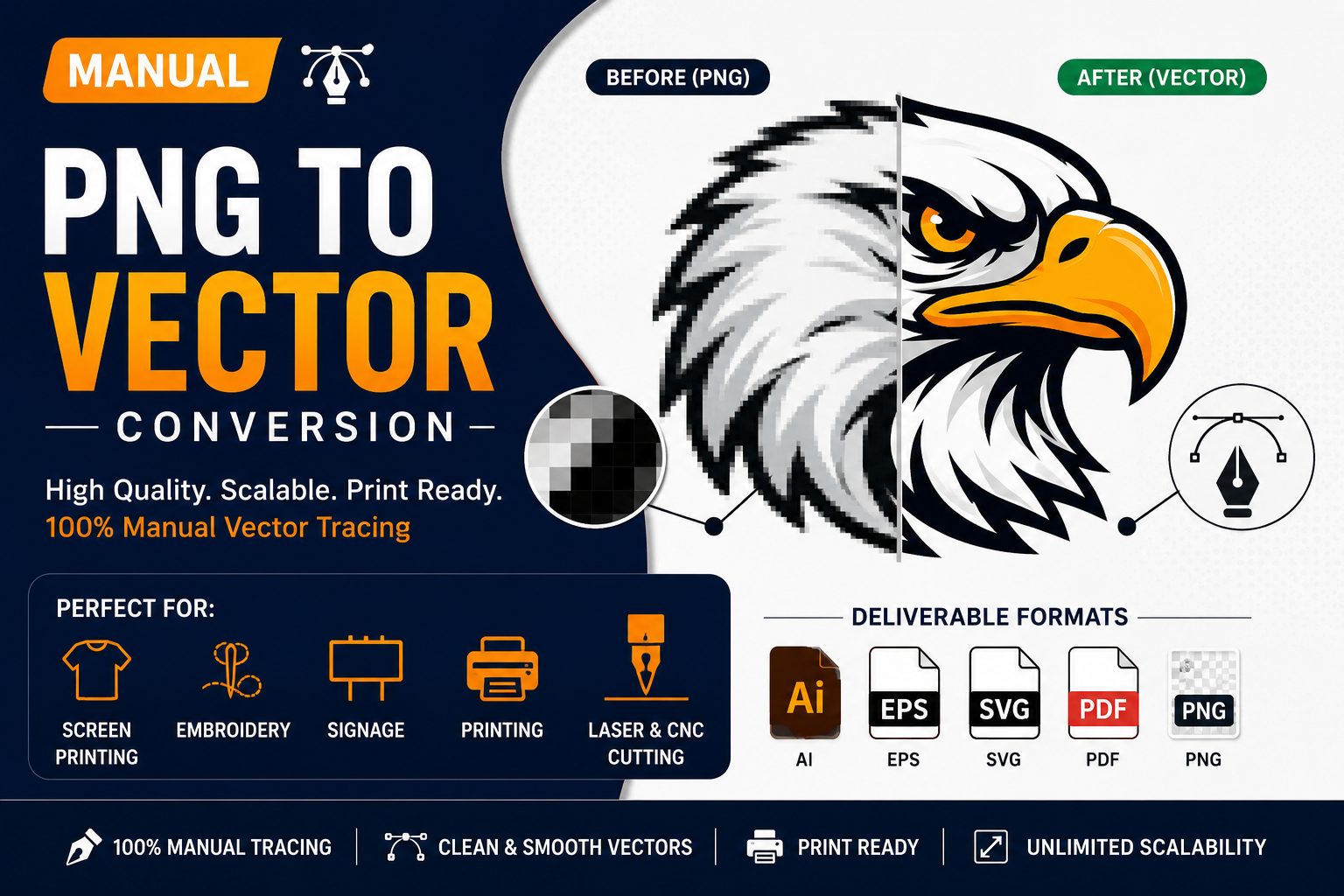
In today’s digital world, businesses rely heavily on high-quality graphics for branding, printing, packaging, embroidery, signage, and online marketing. Whether you are a startup owner, clothing brand, print shop, or designer, having clean and scalable vector artwork is essential.
Unfortunately, many logos and graphics are created in low-resolution PNG or JPG formats, which become blurry, pixelated, and unusable when resized. This is where manual PNG to vector conversion becomes extremely important.
At Vector Refinery, we specialize in professional manual vector tracing services that transform raster images into clean, print-ready vector files suitable for every professional application.
What Is PNG to Vector Conversion?
PNG to vector conversion is the process of converting a raster image such as PNG, JPG, JPEG, or bitmap into a scalable vector format like AI, SVG, EPS, or PDF.
Raster images are made of pixels. When enlarged, they lose quality and appear blurry.
Vector graphics are made using mathematical paths and curves, allowing them to scale infinitely without losing sharpness or clarity.
Raster vs Vector: Understanding the Difference
Raster Images
Raster images include:
- PNG
- JPG
- JPEG
- BMP
- GIF
- Blurry when enlarged
- Poor print quality
- Difficult for embroidery
- Not suitable for professional branding
- Hard to edit
- AI
- SVG
- EPS
- Infinite scalability
- Sharp print quality
- Perfect for embroidery
- Easy color editing
- Ideal for signage and decals
- Professional production-ready format
- Jagged lines
- Uneven curves
- Excess anchor points
- Broken shapes
- Poor symmetry
- Inconsistent stroke thickness
- Printing issues
- Large-format printing
- Embroidery
- Foil stamping
- Screen printing
- Vehicle wraps
- Laser engraving
- Smooth curves
- Precise geometry
- Perfect alignment
- Minimal anchor points
- Clean typography
- Accurate shapes
- Print-ready quality
- Embroidery-safe artwork
- Business cards
- Flyers
- Packaging
- Posters
- Banners
- Labels
- Improve stitch accuracy
- Reduce thread breaks
- Maintain logo readability
- Ensure professional embroidery results
- Door decals
- Fleet branding
- Window graphics
- Construction vehicle wraps
- Storefront signs
- LED signage
- Billboards
- Trade show displays
- Real estate signs
- Separate colors properly
- Improve ink consistency
- Reduce printing errors
- Create sharper apparel prints
- Acrylic cutting
- Wood engraving
- Metal etching
- Vinyl cutting
- Designers
- Print shops
- Branding projects
- Websites
- Apps
- Responsive graphics
- Embroidery
- Screen printing
- Production workflows
- Clients
- Approvals
- Print-ready delivery
- Image quality
- Shape complexity
- Typography
- Symmetry
- Print requirements
- Smooth geometry
- Clean curves
- Balanced spacing
- Minimal anchor points
- Proper kerning
- Accurate alignment
- Improved readability
- Printing
- Embroidery
- Digital use
- Signage
- Scalability
- AI
- EPS
- SVG
- Transparent PNG
- Printers struggle
- Embroidery fails
- Branding looks unprofessional
- Production costs increase
- Uneven curves
- Poor typography
- Broken geometry
- Inconsistent spacing
- Low-quality exports
- Websites
- Packaging
- Social media
- Apparel
- Print materials
- Advertising
- Rough curves
- Excess anchor points
- Uneven alignment
- Poor symmetry
- Unclean typography
- Easier editing
- Smoother curves
- Better printing
- Smaller file sizes
- Improved machine compatibility
- Manual tracing
- Real designer involvement
- Print-ready expertise
- Portfolio proof
- Multiple export formats
- Fast communication
- Production knowledge
- PNG to vector conversion
- Logo vectorization
- SVG conversion
- Raster to vector tracing
- Embroidery vector preparation
- AI logo cleanup
- Print-ready artwork
- Apparel branding
- Business signage
- Packaging design
- Corporate identity
- Trade shows
- Marketing materials
- Product labels
- Social media assets
- Improve website appearance
- Increase brand trust
- Strengthen visual identity
- Improve user experience
- AI branding
- Print production
- Embroidery
- Web design
- Packaging
- Logo vectorization
- Embroidery vector files
- SVG conversion
- Print-ready artwork
- AI logo cleanup
These files are pixel-based.
Problems with raster files:
Vector Files
Vector formats include:
Advantages of vector files:
Why Manual Vector Tracing Is Better Than Auto-Trace
Many online tools claim to convert PNG to vector instantly. However, most automatic converters produce poor-quality results with messy paths, rough edges, uneven curves, and unnecessary anchor points.
Manual vector tracing provides significantly higher quality because the artwork is rebuilt carefully by a professional designer.
Problems With Auto-Trace Vector Conversion
Automatic tracing often creates:
These problems become extremely visible in:
Benefits of Manual Vector Conversion
Professional manual vector tracing ensures:
At Vector Refinery, every vector file is manually recreated for maximum quality and production accuracy.
Common Uses of Vector Files
Vector graphics are essential across multiple industries.
1. Logo Printing
Businesses need vector logos for:
Without a vector file, printed logos often appear blurry or distorted.
2. Embroidery Digitizing
Embroidery requires clean and simplified vector artwork.
A properly prepared embroidery vector file helps:
3. Vehicle Wraps & Decals
Truck graphics and vehicle wraps are printed at large sizes.
Low-quality PNG logos cannot scale properly for:
Manual vector conversion ensures sharp results at every size.
4. Signage & Large Format Printing
Large signs require clean vector artwork to maintain quality.
This includes:
5. Screen Printing
Screen printing requires simplified and production-ready vector artwork.
Professional vector files help:
6. Laser Engraving & CNC Cutting
Machines like laser cutters and CNC routers rely on vector paths for precision.
Manual vector files are essential for:
Best Vector File Formats Explained
AI (Adobe Illustrator)
Industry-standard editable vector format.
Best for:
SVG (Scalable Vector Graphics)
Web-friendly vector format.
Best for:
EPS (Encapsulated PostScript)
Universal vector format widely accepted in printing.
Best for:
PDF Vector
Useful for sharing and printing vector artwork.
Best for:
How Professional Manual Vector Tracing Works
At Vector Refinery, we follow a professional manual workflow for every vector conversion project.
Step 1: Analyze the Artwork
We inspect:
Step 2: Manual Redrawing
The artwork is manually rebuilt using vector paths.
We focus on:
Step 3: Typography Refinement
Text is carefully recreated for:
Step 4: Final Optimization
The final artwork is optimized for:
Step 5: Export Production Files
Final deliverables typically include:
Why Businesses Need Print-Ready Vector Files
Many businesses only receive low-resolution logos from previous designers.
Without proper vector artwork:
A clean vector master file solves these problems permanently.
AI-Generated Logos Need Manual Cleanup
AI logo generators have become popular, but most AI-generated logos are not production-ready.
Common AI logo issues:
Professional manual cleanup ensures the logo becomes usable for real-world branding applications.
How Vector Files Improve Branding
Professional vector artwork helps businesses maintain consistency across:
Consistent branding builds trust and professionalism.
Industries That Frequently Need Vector Conversion
Clothing Brands
Need embroidery-ready logos for apparel.
Construction Companies
Require vehicle decals and signage graphics.
Restaurants
Need scalable logos for menus, packaging, and signs.
Real Estate Agencies
Use vector branding for marketing and property signage.
Print Shops
Need clean vector artwork from clients.
Startups
Require scalable branding assets for growth.
Signs of a Poor Vector File
Not all vector files are professionally made.
Low-quality vectors often contain:
Professional manual vector files should look clean even at extreme zoom levels.
Why Minimal Anchor Points Matter
Good vector artwork uses efficient path construction.
Benefits include:
At Vector Refinery, we focus heavily on clean geometry and optimized path structures.
Choosing the Right Vector Conversion Service
When selecting a vector tracing service, look for:
Avoid services relying entirely on automatic tracing tools.
Why Businesses Trust Vector Refinery
Vector Refinery focuses on precision manual vector conversion for professional production use.
We specialize in:
Every file is manually refined for maximum quality and scalability.
Professional Applications of Vector Artwork
Vector files are commonly used for:
SEO Benefits of High-Quality Branding Assets
Professional branding also improves digital marketing performance.
Clean vector graphics help:
Strong branding supports long-term business growth.
Future of Vector Design
As businesses continue moving toward digital and print integration, vector graphics remain the industry standard.
Whether for:
Vector artwork will continue playing a critical role in professional branding.
Final Thoughts
Manual PNG to vector conversion is more than simply tracing an image. It is a professional design process that ensures artwork becomes scalable, clean, editable, and production-ready.
Whether you need:
Professional manual vector tracing delivers significantly better results than automatic conversion tools.
If you are looking for high-quality manual vector conversion services, Vector Refinery provides clean, accurate, and production-ready vector artwork tailored for printing, embroidery, signage, and branding needs.
