

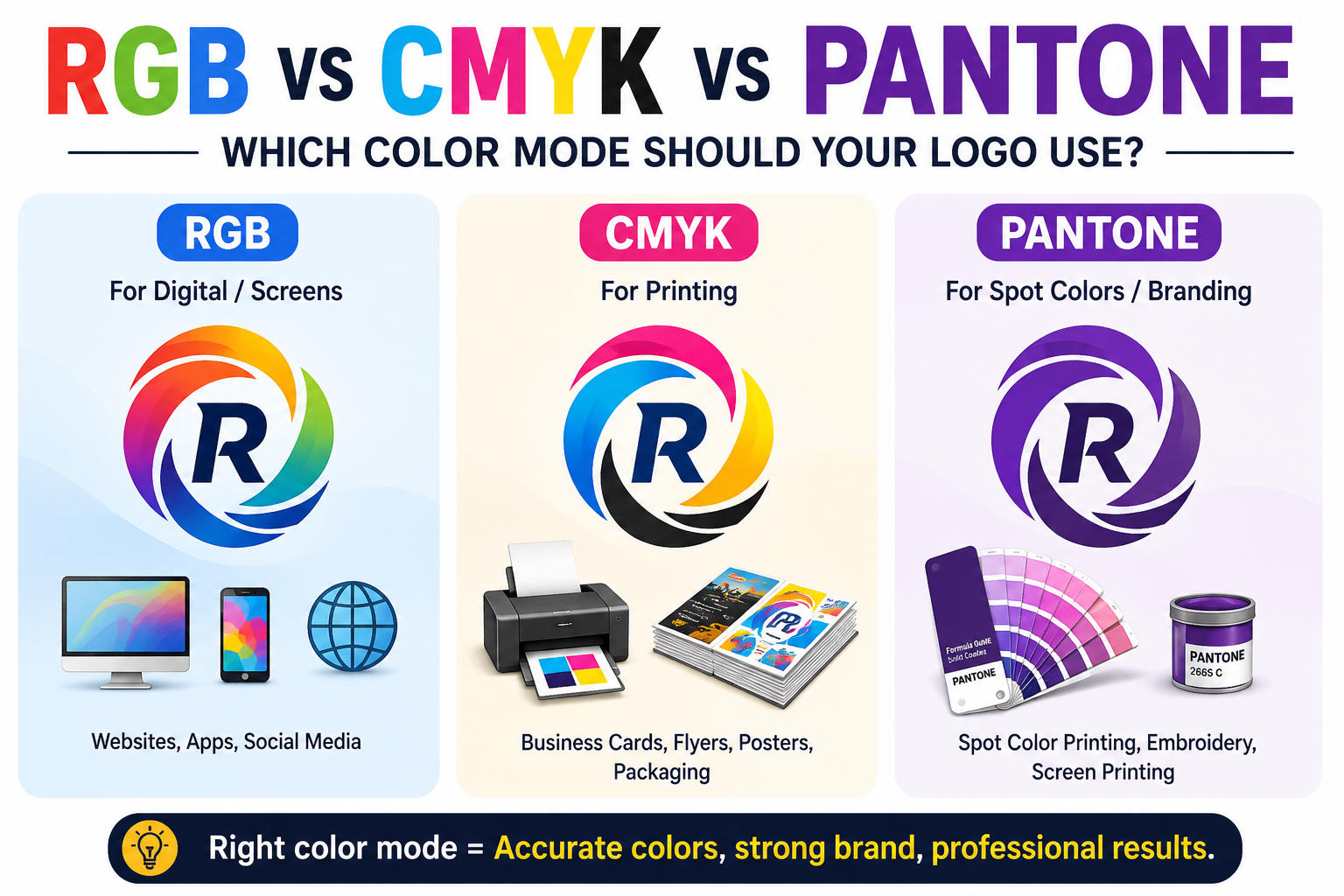
RGB CMYK Pantone logo color mode is one of the most misunderstood topics in professional branding — and getting it wrong is the single most common reason a printed logo looks different from the screen version.
RGB, CMYK, and Pantone are three color systems that serve different purposes in logo design and brand identity. RGB defines colors for screens using red, green, and blue light. CMYK defines colors for print using cyan, magenta, yellow, and black ink. Pantone assigns standardized reference numbers that guarantee exact color matching across any vendor or medium. Every professional logo package must include specifications in all three systems.
This is not a technical curiosity — it is a practical requirement for any brand that appears in more than one medium. A logo that only has RGB values will disappoint when it goes to print. A logo with only CMYK values will look wrong on a website. A logo without Pantone references cannot be reproduced consistently across different suppliers, materials, and production methods.
This guide covers everything: why these three systems exist, how each one works, where each one belongs, what goes wrong when you use the wrong one, and how to manage all three correctly for a logo that looks right everywhere.
RGB vs CMYK vs Pantone — logo color mode comparison
| Factor | RGB | CMYK | Pantone |
|---|---|---|---|
| How color is made | Additive light — red, green, and blue channels combined | Subtractive ink — cyan, magenta, yellow, and black layered on substrate | Pre-mixed spot ink formula with a unique alphanumeric code |
| Color gamut | Widest — includes vivid neons, electric blues, and saturated oranges | Narrower — some vivid RGB colors shift or mute on conversion | Widest of all — includes metallics and fluorescents unavailable in CMYK |
| Website and digital | ✓ Always use RGB | ✗ Looks flat on screen | ✗ Not a digital color mode |
| Commercial print | ✗ Colors shift on conversion | ✓ Standard for all print | ✓ Most accurate — true spot color |
| Screen printing | ✗ Cannot specify ink color | △ Possible but less accurate | ✓ Industry standard — most accurate |
| Embroidery | ✗ No thread equivalent | △ Approximate thread match only | ✓ Use Pantone for thread matching |
| Color consistency across vendors | ✗ Varies significantly by device | △ Varies by printer, ink, and paper | ✓ Identical worldwide — same formula every time |
| Value format | RGB(37, 99, 235) or hex #2563EB | CMYK(84, 58, 0, 8) | PMS 286 C or PMS 286 U |
| Required in logo package? | Required | Required | Required |
Why Three Color Systems Exist
Understanding RGB CMYK Pantone logo color mode starts with understanding why screens and printers cannot produce identical results. The existence of three separate color systems is not an accident of history or an industry conspiracy. It reflects a fundamental physical reality: screens and printers create color through completely different processes.
The reason three color systems exist is that screens and printers create color through fundamentally different physical processes. Screens produce color by emitting light, mixing red, green, and blue wavelengths at varying intensities. Printers produce color by applying ink to paper, where cyan, magenta, yellow, and black pigments absorb and reflect light. These two processes cannot produce identical results because they operate on opposite physical principles — one additive (light) and one subtractive (pigment).
This is the root cause of the “why does my print look different from my screen” complaint. The difference is not a flaw in the printing process or a calibration problem with the monitor. It is physics. You cannot get identical results from two fundamentally different physical processes.
Pantone exists to solve a third problem that neither RGB nor CMYK addresses: consistency across vendors. When a brand specifies a color in RGB or CMYK, different printers, on different equipment, with different inks, on different substrates, may reproduce that color slightly differently. Over time, across multiple print runs and multiple suppliers, the brand color drifts. Pantone prevents this by specifying colors as pre-mixed ink formulas identified by a unique code — the same formula, mixed the same way, producing the same color regardless of which Pantone-licensed printer handles the job.
Understanding these three systems starts with understanding what each one is actually doing physically.
RGB: The Color Mode for Screens
RGB stands for Red, Green, and Blue, the primary colors of light. This color model is known as additive because it blends these three hues in various ways to produce other colors.
In the RGB model, color is created by combining light at varying intensities. At maximum intensity, all three channels combined produce pure white — all light. At zero intensity across all channels, the result is black — the absence of light. Every color between these extremes is a combination of red, green, and blue values, each ranging from 0 to 255.
This is why RGB is the color mode of screens. Every pixel on your computer monitor, smartphone, tablet, and television is an RGB pixel — a tiny light source that can be tuned to emit red, green, and blue at any combination of intensities. The color you see is the light itself.
RGB has a wider gamut than CMYK. This is why a vibrant logo that looks electric on your monitor can print looking dull and disappointing. Colors in the RGB gamut — particularly vivid neons, bright oranges, electric blues, and saturated greens — simply cannot be reproduced in CMYK. There is no combination of cyan, magenta, yellow, and black ink that produces the same visual experience as those highly saturated RGB colors.
When to use RGB:
- Website logos and digital assets
- Social media profile images and graphics
- Email signature logos
- Digital presentations and slide decks
- App icons and in-app graphics
- Any context where the logo will be viewed on a screen and never printed
RGB values: Specified as three numbers from 0–255 for each channel. For example, RGB(37, 99, 235) — a vivid blue. Hex codes (like #2563EB) are simply a shorthand notation for RGB values in base 16, used in web and digital contexts.
CMYK: The Color Mode for Print
CMYK stands for Cyan, Magenta, Yellow, and Key (Black). CMYK is the color mode specifically used for all print media, such as labels, pouches, business cards, and more.
Unlike RGB, which creates color by adding light, CMYK creates color by subtracting it. Each ink absorbs certain wavelengths of light and reflects others. Cyan ink absorbs red light and reflects blue and green. Magenta absorbs green and reflects red and blue. Yellow absorbs blue and reflects red and green. Black (the K in CMYK) absorbs all wavelengths and is used for depth and definition.
By layering these four inks at varying percentages, offset and digital presses can reproduce a wide range of colors. The percentages for each channel range from 0% (no ink) to 100% (full ink coverage). In theory, combining 100% of C, M, and Y should produce black — but in practice it produces a muddy dark brown, which is why black ink is added as a fourth channel.
CMYK is celebrated for its precision in color matching, making it ideal for print where exact color replication is crucial. However, it can struggle to reproduce the bright, vivid colors you see on a digital screen, often resulting in a more muted color output.
This muting is the core limitation of CMYK and the source of the most common color complaints in print production. A brand that has been built around vivid, saturated screen colors — the electric blue of a tech startup, the bright orange of a consumer brand — is often in for a disappointing surprise when those colors go to print for the first time.
When to use CMYK:
- Business cards, brochures, and letterhead
- Packaging and labels
- Posters and printed marketing materials
- Large format print — banners, signs, vehicle wraps
- Any commercially printed material
CMYK values: Specified as percentages for each channel. For example, CMYK(84, 58, 0, 8) — a process blue. The same color as the RGB example above, converted approximately.
Pantone: The Color Mode for Consistency
Pantone colors are defined by the Pantone Matching System (PMS), a standardized color reproduction system used worldwide to ensure consistency across every medium, from print to fabric. Pantone is critical for brands that require consistent color regardless of where the product appears. Whether it’s a company logo or product packaging, Pantone ensures that each hue remains the same across different production runs and even different materials.
Pantone works differently from both RGB and CMYK. Rather than mixing colors at the point of production, Pantone colors are pre-mixed inks — specific formulas identified by a unique alphanumeric code. Pantone 286 C is always Pantone 286 C. Any Pantone-licensed printer anywhere in the world can open the Pantone formula guide, mix that exact ink, and produce the same color.
Pantone numbers may be followed by letters such as M, C or U. These stand for matte, coated, or uncoated.The suffix matters because the same ink formula produces slightly different visual results on different paper stocks — coated (glossy) paper reflects more light than uncoated (matte) paper, so the perceived color differs. Pantone accounts for this by providing separate color chips and references for coated (C), uncoated (U), and matte (M) substrates.
When it comes to color range, Pantone stands out by offering a wider and more precise selection, including metallic and fluorescent colors that CMYK cannot match.Pantone can specify metallic gold and silver, fluorescent colors, and special effect inks that have no CMYK equivalent. For brand elements that need to appear on physical products — embossed letterhead, foil-stamped packaging, embroidered uniforms — Pantone references ensure the color is correctly reproduced regardless of the production method.
When to use Pantone:
- Screen printing on apparel and merchandise
- Embroidery (as thread color references)
- Brand guidelines specifying consistent colors across vendors
- Packaging where color consistency across production runs matters
- Any project where exact color matching is more important than cost
Pantone values: Specified as a PMS code and substrate suffix. For example, Pantone 286 C (a classic brand blue on coated stock). Brand guidelines should always include PMS references for every brand color.
What Happens When You Use the Wrong Color Mode
The consequences of using the wrong color mode are predictable, consistent, and avoidable. Here is exactly what goes wrong in each scenario.
RGB submitted to a print shop
When an RGB file goes to a commercial printer, the prepress software converts the colors to CMYK automatically. The conversion algorithm does its best to find the closest CMYK equivalent for each RGB color, but the gamut gap means some colors shift noticeably — sometimes dramatically.
Bright, saturated blues often shift slightly purple or grey in CMYK. Vivid oranges can go muddy. Electric greens can fade. Colors that looked identical on screen can print noticeably differently. The client sees the proof and says “that’s not our brand color” — and they are right, but the problem started before the file reached the printer.
The single rule that fixes 90% of “why does my print look different from my screen” complaints: design in the colour mode that matches the final output, from the first decision, not as an afterthought before exporting.
CMYK submitted for digital use
A logo designed in CMYK for print will typically look slightly dull and undersaturated when used on screen. CMYK’s narrower gamut means the colors are already constrained — when converted to RGB for screen use, the conversion cannot add saturation that was never there. The logo ends up looking flat and muted compared to competitors who designed their digital assets in RGB.
No Pantone references in brand guidelines
A logo without Pantone references can look subtly different every time it is reproduced by a new vendor. Screen printer A matches the color to their best approximation in process inks. Embroiderer B matches it to the closest thread in their inventory. Sign maker C matches it as best they can on their vinyl stock. Over time, the brand color drifts across touchpoints — not dramatically, but enough to undermine the consistency that makes a brand recognizable.
The Professional Solution: All Three, Every Time
Managing RGB CMYK Pantone logo color mode correctly is what separates a professional logo package from one that causes production problems. A proper logo package includes: A master vector file in CMYK for print applications. A sibling export in RGB for web, social, and digital. A version with Pantone references called out for any brand-critical colors that must look consistent across substrates. Brand guidelines should specify all three — CMYK values, RGB values, and Pantone references — for every brand color. That way the logo on a business card, the logo on a website, and the logo on a supplier’s embroidered uniform can all be traced back to the same authoritative source.
This is the professional standard. It is not excessive — it is the minimum that a serious brand requires to look consistent across the full range of applications a logo will appear in over its lifetime.
In practice, this means:
The print master file — an AI or EPS file in CMYK color mode, with every color specified as a CMYK value and the corresponding Pantone reference noted. This file goes to printers, sign makers, screen printers, and any other production application where ink meets substrate.
The digital file — an SVG or PNG in RGB color mode (specifically sRGB, the standard color space for web and digital use), optimized for screen display. This file goes to web developers, social media managers, presentation designers, and any digital application.
The brand guidelines — a document that specifies all three values for every brand color: CMYK for print, RGB (and hex) for digital, and Pantone for spot color and vendor-consistent applications. This document is the authoritative source that prevents color drift across all touchpoints over time.
How Color Mode Affects Vector File Production
Color mode is not just a setting you apply at export — it affects how a logo is constructed from the very beginning and what the finished vector file is capable of doing in production.
A logo built in RGB in Adobe Illustrator has its colors specified as RGB values. When that file goes to a print shop, the colors are converted to CMYK during prepress — with all the gamut limitations that conversion entails. Ideally, the conversion is done intentionally by someone who knows the target CMYK values, not automatically by software that guesses.
A logo built in CMYK from the start has colors that are already within the printable gamut. What you see on screen (with proper monitor calibration and soft proofing) is what comes off the press. The colors may look slightly less vivid on screen than an equivalent RGB file, but they will be accurate in print.
A logo with Pantone spot colors specified in the vector file carries those references through the entire production chain. When the file reaches a screen printer, the color separations are handled as named Pantone colors rather than converted CMYK blends. The printer mixes or selects the specified Pantone ink. The result is the most accurate and most consistent color reproduction possible.
This is why professional vectorization for production use is not just about clean paths and outlined text. It includes setting up the file in the correct color mode, specifying Pantone values where applicable, and delivering separate RGB and CMYK versions for different applications. A raster logo converted to vector by auto-trace does none of this correctly — it brings whatever color mode the raster file was in and produces no Pantone references. A professionally manually redrawn vector file can be set up correctly from the start.
Real-World Applications: Which Color Mode for Each Use Case
Here is the practical guide to which color mode applies to each common production scenario.
Website and web apps — RGB (specifically sRGB). Use an SVG or PNG with RGB colors. Never send a CMYK file to a web developer — many design applications render CMYK colors incorrectly on screen, and the resulting colors will look wrong in the browser.
Business cards — CMYK, with Pantone references for brand colors if color accuracy is critical. Standard digital offset printing uses CMYK process color. For high-end cards with exact color matching, specify Pantone and request spot color printing.
Brochures, flyers, and marketing materials — CMYK. Standard commercial printing uses CMYK process color for full-color documents.
Screen printing on apparel — Pantone. Pantone colours will always produce the most sharp and accurate colours. The PMS is best to use when screen printing, textile or product manufacturing, or in cases where colour accuracy is important. Each color in a screen print is a separate ink layer, which is exactly how Pantone spot colors work. Screen printing with Pantone references produces the most accurate color reproduction on garments.
Embroidery — Pantone thread matching. Embroidery thread manufacturers publish Pantone-matched thread systems — providing a Pantone reference allows the digitizer to select the closest matching thread, ensuring color consistency across production runs.
Large format and signage — CMYK for digitally printed signs and banners. Pantone for vinyl lettering and spot color signage.
Packaging — CMYK for full-color digital or offset printing. Pantone for brand-critical colors, metallic effects, and spot color elements. Often a combination of both — CMYK for the photographic elements and Pantone for the brand logo colors.
Vehicle wraps — CMYK, printed on wide-format printers. The vinyl substrate and laminate change how colors look, so soft proofing is especially important for wrap graphics.
The Color Conversion Problem — and How to Handle It
The practical reality for most businesses is that their logo will be used across all of these contexts. Managing the inevitable conversions between color modes is one of the most important ongoing tasks in maintaining a brand.
A few rules that prevent the most common problems:
Never let software convert automatically without checking. When a print shop or production service converts your RGB file to CMYK automatically, the result may not match your brand colors. Always review proofs and compare against your brand guidelines before approving production.
Soft proof before finalizing print files. In Adobe Illustrator or Photoshop, soft proofing simulates how CMYK colors will look when printed. Soft proof and adjust the saturated areas manually if they shift too far. In Photoshop: View → Proof Setup → Custom → pick your CMYK profile → enable View → Proof Colors. This lets you identify and correct problematic color shifts before the file reaches the printer.
Specify Pantone for brand-critical colors. If there is a color that absolutely must be consistent — your primary brand color, a hero color that appears on everything — specify the Pantone reference in your brand guidelines and request spot color printing wherever possible. This is the most reliable way to ensure that color remains consistent across all vendors and production methods.
Deliver both versions with every project. Deliver logos in both modes. Every logo delivery should include RGB files for digital use and CMYK files for print use. Treating these as separate assets — rather than converting between them at the point of use — prevents color problems at the production stage.
Document all three values in brand guidelines. CMYK values, RGB values (including hex), and Pantone references for every brand color. This single document is the foundation of color consistency across a brand’s entire touchpoint ecosystem.
Getting Color-Mode-Correct Vector Files
Most businesses discover the color mode problem after it has already caused a production failure — a disappointing print run, an embroidery color that does not match the website, a brand that looks inconsistent across different materials.
The fix starts with a properly constructed vector file. A professional manual vectorization service does not just rebuild paths — it sets up the file in the correct color mode for the intended use, specifies Pantone references where provided, and delivers separate RGB and CMYK versions as part of the standard file package.
This is exactly what Vector Refinery provides. The Standard package delivers a complete file set including AI and EPS files with properly specified colors, SVG and PNG for digital use, and a black-and-white version. When you provide Pantone references with your order, they are applied to the relevant elements in the delivered files. When you specify intended use cases — print, embroidery, screen printing, web — the files are structured accordingly.
Packages start at $25 for simple logos and $45 for standard business logos. A free assessment is available before any payment is required. Upload your logo and receive an exact quote and turnaround time before committing.
Get your logo print-ready in 24 hours
Upload your PNG, JPG, or screenshot. A free assessment with exact price and turnaround is included before you pay anything.
Frequently Asked Questions
What is the difference between RGB and CMYK? RGB creates color using red, green, and blue light and is used for screens and digital displays. CMYK creates color using cyan, magenta, yellow, and black ink and is used for commercial printing. The two systems cannot produce identical results because they use fundamentally different physical processes — light emission versus ink absorption.
When should I use Pantone instead of CMYK? Pantone is best for any situation where exact, consistent color is more important than cost — screen printing, embroidery, brand merchandise, packaging where color must match across multiple production runs, or any project going to multiple different vendors. Pantone pre-mixed inks produce the same color every time, regardless of the printer or equipment used.
Can I convert my logo from RGB to CMYK? Yes, but the conversion should be done carefully and reviewed before production. Automatic software conversion can shift colors, particularly vivid or saturated colors that fall outside the CMYK gamut. The conversion should be reviewed with soft proofing and adjusted manually if brand colors shift significantly.
What is a hex code and is it the same as RGB? A hex code (like #2563EB) is shorthand notation for an RGB value in base 16. It specifies the same color as RGB but in a format commonly used in web and digital contexts (HTML, CSS). Hex is RGB — the values are identical, just written differently.
Do I need all three — RGB, CMYK, and Pantone — for my logo? For any logo that will be used across digital and print applications, yes. RGB for digital and screen use, CMYK for commercial printing, and Pantone for spot color printing, embroidery, and any application where consistent color across different vendors is important. Brand guidelines should specify all three for every brand color.
What does the C, U, or M suffix mean on a Pantone code? The suffix indicates the paper stock the color was specified for: C = coated (glossy), U = uncoated (matte), M = matte. The same Pantone ink formula can look slightly different on different paper stocks because coated paper reflects more light. Brand guidelines should specify which Pantone suffix is the reference for each brand color.
Why does my logo look different on screen vs in print? The most common reason is color mode. A logo designed in RGB for screen will shift when converted to CMYK for print, particularly for vivid or saturated colors. Design in the color mode that matches the final output, or work with a professional who can set up your logo files correctly for both applications.
Getting RGB CMYK Pantone logo color mode right from the start saves every reprinting cost, color inconsistency complaint, and brand drift problem that comes later.
Published by Vector Refinery — Professional Manual Logo Vectorization and Color-Correct Production File Service. Visit vectorrefinery.com to upload your logo and get a free assessment today.
