

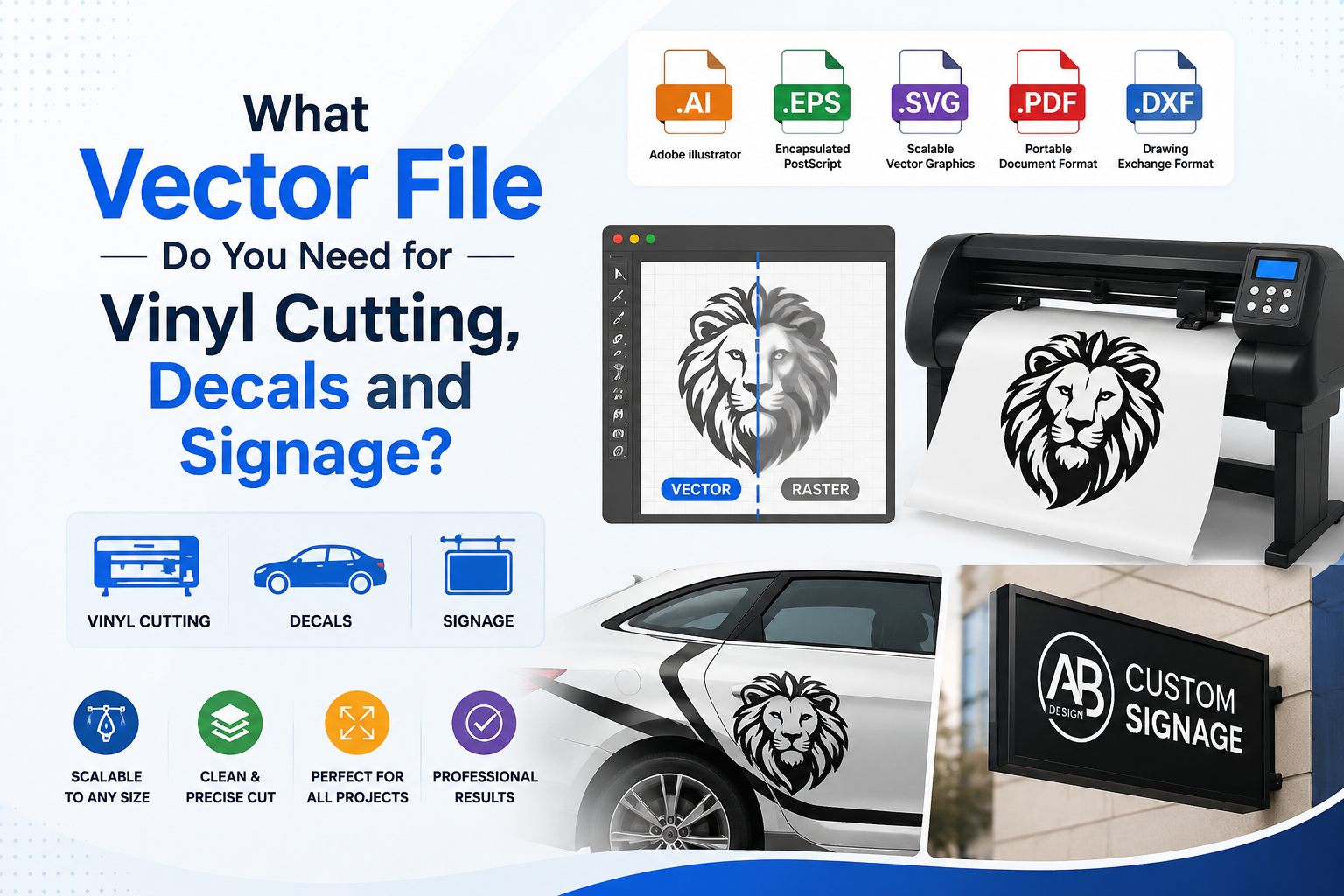
Vector file vinyl cutting requirements are stricter than most people expect — and sending the wrong file to a sign shop or vinyl producer is one of the most common and most avoidable production mistakes in 2026.
The vector file you need for vinyl cutting, decals, and signage is one of the most practical questions in production work — and getting the wrong answer costs money. A rejected file means a delayed order. A poorly prepared file means production errors, additional setup fees, and finished products that do not look like your logo.
This guide covers everything you need to know: why vinyl cutting and signage production requires vector files, which specific formats work for which applications, what makes a file genuinely production-ready, and how to get the right file when all you have is a PNG or JPG.
Why Vinyl Cutting Requires Vector Files
Understanding why vinyl cutters and sign shops require vector files — rather than just requesting a higher-resolution raster image — starts with understanding how vinyl cutting actually works.
<cite index=”6-1″>Vinyl cutting is a process where a computer-controlled cutting machine follows precise paths to cut designs from sheets of colored vinyl.</cite> The key word is paths. A vinyl plotter does not read pixels — it reads vector path data and uses those paths as cutting instructions. The blade of the plotter follows the outline of each shape in the file, cutting through the vinyl along those exact paths.
<cite index=”4-1″>Raster files, such as JPG, TIF, PNG, GIF or PSD, cannot be used because they are actually images with a dot pattern and no discernible cut lines for a computer to follow to cut to shape.</cite> When you send a PNG to a vinyl cutter, the machine has nothing to follow. There are no paths — only a grid of colored pixels. The machine literally cannot execute the cut.
<cite index=”7-1″>For solid spot color cut vinyl lettering, the plotter will read the outline of the letters and cut them to shape, but to do so, it requires a vector file outline format. Typical vector file extensions include AI, EPS, and PDF, which are predominantly generated from Adobe Illustrator software.</cite>
This is not a preference or a technical formality. It is a fundamental requirement of how the production equipment operates. Without vector paths, there is nothing for the cutting machine to follow.
Vector format guide — vinyl cutting and signage
| Format | Type | Best for | Color mode | Who requests it |
|---|---|---|---|---|
| AI | Vector | Custom signage, vehicle graphics, complex multi-element vinyl designs | CMYK / Pantone | Professional sign shops using Adobe software |
| EPS | Vector | Universal production — accepted by every sign shop regardless of software used | CMYK / Pantone | Any sign shop or vinyl producer — the safest choice |
| SVG | Vector | Cricut, Silhouette, desktop vinyl cutters, web-based production workflows | RGB | Craft cutters, desktop machines, digital workflows |
| Vector | Large format print, banners, sharing with sign shops and print providers | CMYK | Modern sign shops and large format print providers | |
| DXF | Vector | CNC routing, laser cutting, engraving — path-only format with no color data | N/A | CNC and laser machine operators only |
| PNG | Raster | Printed decals only — not usable for cut vinyl or any signage application | RGB | Not accepted for cut vinyl — printed decals only |
Application requirements — what each production type needs
| Application | Vector required? | Color mode | Key requirements |
|---|---|---|---|
| Cut vinyl / lettering | ✓ Always — no exceptions | Pantone spot | Clean closed paths, text outlined, min 0.09 inch element size and spacing, one color per layer |
| Printed decals / stickers | ✓ Cut contour must be vector | CMYK | Vector cut path required even for full-color artwork, 0.125 inch bleed, all text outlined |
| Large format / banners | ✓ For logos and graphics | CMYK | All logos and text must be vector, export at actual size, 0.125 inch bleed — no raster logos |
| Vehicle wraps | ✓ For all brand elements | CMYK | Vector logos and graphics required, vehicle template essential, high-res raster allowed for photography only |
| Channel letters / illuminated signs | ✓ Always | Pantone spot | Vector outlines for letter forms, minimum 3mm stroke width, text outlined, Pantone color specified |
| Laser cutting / engraving | ✓ DXF or AI always | N/A | Path-only outlines, no fills required, DXF or AI format, minimum feature size per machine specifications |
Most common file mistakes — and how to fix them
| Mistake | What goes wrong | How common |
|---|---|---|
| Sending a PNG or JPG | No path data for the cutter to follow — file is rejected or only a bounding box cut is offered as an alternative | Very common |
| Live text not outlined | Font substitutes silently on the shop’s system — design changes without warning and often goes unnoticed until production | Very common |
| RGB color mode | Colors shift unpredictably when converted for print or vinyl — especially noticeable with blues and purples | Very common |
| Raster embedded in vector file | PNG inside an EPS looks like a vector file but pixelates at scale — sign shop discovers the issue during file setup | Common |
| Elements below 0.09 inch | Fine details tear during weeding or cannot be removed cleanly from the vinyl backing after cutting | Common |
| No bleed on printed pieces | White border appears on finished decal or banner if the cut lands even slightly off from the artwork edge | Common |
| Wrong artwork size | Scaling required at the shop — adds setup time, fees, and potential for distortion in the finished product | Common |
Which Vector Formats Work for Vinyl Cutting and Signage
Not all vector file formats are equal for production purposes. Here is a breakdown of each format and where it fits in vinyl cutting and signage workflows.
AI (Adobe Illustrator)
AI is the native format of Adobe Illustrator — the industry standard software for creating and preparing production artwork. <cite index=”3-1″>Adobe Illustrator AI files with vector lines are required for cutting by most professional sign shops.</cite>
AI files give sign shops and vinyl producers the most flexibility. The file is fully editable — the production team can adjust sizes, check paths, correct any issues, and set up the file for their specific equipment without quality loss. For complex work involving multiple elements, layers, and colors, AI is the preferred delivery format.
Use AI for: Custom signage, vehicle graphics, multi-element vinyl designs, any project going to a professional sign shop.
EPS (Encapsulated PostScript)
EPS is the universal production standard. <cite index=”4-1″>Vector files consist of EPS, PDF, AI, INDD or CDR formats.</cite> EPS files open in virtually every professional design and production application — not just Adobe software — which makes them the most universally compatible vector format across different sign shop workflows.
EPS files support spot color values including Pantone, which is essential for vinyl production where specific colored vinyl stocks need to be matched to the design colors.
Use EPS for: Any production context, particularly when you are not certain what software the sign shop uses. EPS is the safe choice that works everywhere.
SVG (Scalable Vector Graphics)
SVG is the web standard for vector graphics, but it is also increasingly used in craft and desktop vinyl cutting applications. Machines like Cricut, Silhouette, and Roland cutters often work natively with SVG files. <cite index=”8-1″>Professional vinyl cutting vector files for Cricut, Silhouette, and commercial plotters work with proper weld paths and simplified weeding using SVG and DXF paths with blade-following optimization.</cite>
For professional commercial sign production, SVG is less common than AI or EPS. For desktop and craft cutting applications, SVG is often the preferred format.
Use SVG for: Cricut and Silhouette projects, web-based production workflows, craft vinyl cutting.
PDF (Portable Document Format)
A vector PDF — one that genuinely contains vector path data rather than an embedded raster image — is widely accepted by sign shops and large format print providers. PDF has become the preferred format for many modern print and sign workflows because it is universally readable, reliably preserves color profiles, and can be opened on any system without specialized software.
The critical caveat: the PDF must contain true vector paths. A PDF generated from a JPG or PNG is still a raster image inside a PDF wrapper — it has the extension of a vector file but none of the properties. Always confirm with the production shop that your PDF is a genuine vector PDF.
Use PDF for: Sharing with sign shops, large format print providers, any workflow where universal readability matters.
DXF (Drawing Exchange Format)
DXF is a format used primarily in CNC routing, laser cutting, and some specialized vinyl cutting applications. <cite index=”2-1″>You need vectors for cut lines.</cite> DXF files contain path data but typically strip out color and fill information — they are outline-only files used to define cutting paths for machines that do not interpret color data.
Use DXF for: Laser cutting, CNC routing, engraving machines, and specialized production applications that specifically request it.
Vinyl Cutting vs. Large Format Print vs. Signage — What Each Requires
These three applications are often grouped together because they all require vector files, but the specific requirements differ in important ways.
Cut Vinyl / Vinyl Lettering
Cut vinyl is exactly what it sounds like: the plotter cuts the design from a sheet of solid-colored vinyl. The result is a one-color design (or multiple one-color elements applied separately) that looks as if it was painted directly onto the surface.
<cite index=”4-1″>Vector files are the only files that can be used for any vinyl lettering or vinyl decal orders that need to be cut to shape. But to achieve the no-background look so that your vinyl looks as if it was painted on the surface, a vector file is needed.</cite>
For cut vinyl, the file needs clean, closed paths for every element that will be cut. Text must be converted to outlines. Each color is a separate vinyl layer. There can be no gradients — cut vinyl is inherently a single-color-per-layer medium.
Minimum element size matters significantly. <cite index=”5-1″>All vectors need to be converted to outlines with a minimum thickness and spacing of 0.09 inches between elements.</cite> Elements smaller than this cannot be cleanly cut and will either tear or not release from the backing cleanly during weeding.
Printed Decals and Stickers
Printed decals — where the design is digitally printed onto clear or white vinyl and then cut — have somewhat different requirements. Color printing allows full-color designs including gradients, photographs, and complex imagery. However, the cut line around the printed design still requires a vector path.
<cite index=”9-1″>All files for this sticker type must be submitted in vector format, which means everything must be converted to outlines.</cite> Even for printed decals, the cut contour must be a clean vector path. The production software uses that vector path to tell the cutter where to cut around the printed artwork.
For printed decals, the artwork itself can be higher complexity than cut vinyl allows, but the file structure still needs vector paths for the cut lines, and all text in any vector elements must be outlined.
Large Format Signage and Banners
Large format printing — the technology behind banners, building wraps, outdoor signs, and large display graphics — requires vector files for any element that contains logos, text, or graphics that need to remain sharp at scale.
<cite index=”2-1″>Every sign type — channel letters, vinyl decals, vehicle wraps — demands vector files. Raster art costs you time and money at the shop.</cite> A raster logo embedded in a large format file degrades when scaled up to the dimensions of a building-sized sign. The physics are unavoidable: pixels become visible, edges go soft, and the result looks unprofessional at scale.
<cite index=”2-1″>Your logo lives on surfaces from a 2-inch glass door decal to a 10-foot illuminated channel letter set. One clean vector file drives all of it — saving hundreds per sign job in setup fees, revision charges, and production delays.</cite>
Vehicle Wraps
Vehicle wraps sit at the most demanding end of the vinyl application spectrum. <cite index=”2-1″>You need vectors for cut lines and high-res raster (200 DPI or higher at print size) for photographic elements. The vehicle template is non-negotiable — every curve, rivet, and door handle must be accounted for.</cite>
For vehicle graphics, logos and brand elements must be vector. Photographic elements can be high-resolution raster. The vehicle template — the outline of the specific vehicle being wrapped — is a vector file that the sign shop provides or that must be sourced from the manufacturer.
What Makes a Vinyl and Signage File Genuinely Production-Ready
Submitting a file in a vector format is the starting point, not the finish line. Here is what a production-ready file for vinyl cutting and signage actually includes.
All Text Converted to Outlines
<cite index=”2-1″>Outlining fonts before you send files eliminates the number one production headache in every sign shop in the country.</cite> When text remains as live, editable type, the production shop’s software needs the same font installed to render it correctly. If the font is not available, it substitutes automatically — often with a visibly different result. Converting text to outlines converts every letter into a fixed vector shape that renders identically on any system regardless of font availability.
This is non-negotiable. Every text element in any file going to production must be outlined before submission.
Clean, Closed Paths
Every shape in the file must be a clean, closed path. Gaps in paths — where the start and end point of a shape do not connect — cause cutting errors. The plotter may cut across the gap, skip an element entirely, or produce a distorted cut. A professional file has every shape verified as a properly closed path before submission.
Proper Color Mode
<cite index=”2-1″>CMYK for print, Pantone for spot-color vinyl, RGB only for digital signage.</cite> Color mode determines how colors are interpreted by production equipment. RGB is a screen color model and should never be used for print or vinyl production. CMYK is the standard for digital large format print. Pantone spot colors are required for cut vinyl where the vinyl stock itself is the color — you need to specify which colored vinyl corresponds to each element in the design.
Correct Sizing
<cite index=”2-1″>Export at actual size. Include 0.125 inch bleed for printed pieces.</cite> Submitting artwork at the intended final production size removes any ambiguity about scaling. For printed pieces — including printed decals, banners, and posters — a bleed of 0.125 inches (3mm) beyond the trim edge prevents white borders appearing if the cut is slightly off-register.
Minimum Element Sizes
Production equipment has physical limits. For vinyl cutting, <cite index=”5-1″>all vectors must be at least 0.09 inches thick and have 0.09 inches of spacing between any other vectors.</cite> Elements smaller than this cannot be cleanly cut — they either tear during cutting or cannot be removed cleanly from the backing during the weeding process.
For channel letters and illuminated signage, minimum stroke widths depend on the production method, but anything below 3mm is generally considered at risk of production problems.
Weeding Optimization
Weeding is the process of removing the excess vinyl from around and within the cut design before applying it to the final surface. Designs with very fine details, small enclosed spaces (like the inside of an O or a D), or very small elements are difficult and time-consuming to weed — and small elements may tear during the process.
<cite index=”8-1″>Every vinyl cutting file should be tailored for smooth plotter blade following and easy weeding. Beyond basic vector conversion, simplify overly intricate details, create proper weld connections between adjacent and overlapping shapes to avoid double-cut lines, and export with stroke weights that vinyl software reads correctly.</cite>
This is a level of optimization beyond standard vectorization. It requires knowledge of how vinyl cutting equipment behaves — how the blade turns corners, how small elements respond to the weeding process, and how adjacent shapes need to be connected (welded) to avoid the cutter making double passes along shared edges.
The Most Common File Submission Mistakes for Vinyl and Signage
These are the mistakes that appear most frequently in sign shop and vinyl production workflows — and each one causes delays, additional fees, or production failures.
Sending a raster file. A PNG, JPG, or screenshot cannot be used for cut vinyl. No paths means no cutting. The shop will either reject the file, charge a redesign fee, or offer a bounding box cut that does not reflect the actual logo shape.
Live text not converted to outlines. The single most common production headache. Font substitution changes the design silently. Always outline text before submitting any file for production.
Wrong color mode. RGB files submitted for print or vinyl production require color conversion, which can shift colors unpredictably. Always deliver CMYK for print and Pantone spot values for cut vinyl.
File too small for output size. A logo at 200 pixels wide cannot be enlarged to 4 feet wide without quality loss. Vector files do not have this problem — they scale to any size. Raster elements embedded within vector files do, and will show pixelation at large scale.
Embedded raster images in vector files. A PNG placed inside an AI or EPS file looks like a vector file but contains raster image data. The vector container does not make the embedded image scalable. All artwork must be genuine vector path data.
Elements too small to cut or weed. Fine details below 0.09 inches, enclosed spaces smaller than this, or very small text will not survive the cutting and weeding process. These elements need to be removed or simplified before submission.
No bleed on printed pieces. Printed banners, decals, and signs need a bleed area — typically 0.125 inches — to account for slight variation in the cut or trim. Artwork that runs edge-to-edge with no bleed risks a white border on the finished piece.
How to Get a Production-Ready Vector File When You Only Have a PNG
This is the situation most businesses find themselves in when approaching a sign shop or vinyl producer for the first time: the logo only exists as a PNG on a website or a JPG in an email. The sign shop is asking for a vector file, and there is nothing to send.
The solution is professional manual vectorization. A skilled vector artist takes your raster source — PNG, JPG, screenshot, or any other image — and manually rebuilds every element of the logo as clean vector paths using Adobe Illustrator. The result is a file that meets every production requirement for vinyl cutting, signage, and large format print.
<cite index=”6-1″>Professional manual vector tracing can recreate any raster image as a scalable vector file that is ready for vinyl cutting and countless other applications. Investing in proper vector artwork today will help you achieve better results on every future sign project.</cite>
This is exactly the service Vector Refinery provides. Every project is manually redrawn by a skilled vector artist — no auto-trace tools that produce messy, production-failing paths — with proper color handling, outlined text, and clean closed paths throughout. The delivered file package includes AI, EPS, SVG, and PDF, giving you every format a sign shop or vinyl producer might request.
For projects requiring specific vinyl cutting optimization — weld paths, weeding simplification, minimum size compliance — the Premium package covers this additional layer of preparation. The delivered file is not just generally vector-ready: it is specifically structured for vinyl cutting production.
Packages start at $25 for simple logos and $45 for standard business logos with the full file package. Premium vinyl and signage optimization starts at $85. A free assessment is available before any payment is required — upload your file and receive an exact quote and turnaround time before committing.
Get your logo print-ready in 24 hours
Upload your PNG, JPG, or screenshot. A free assessment with exact price and turnaround is included before you pay anything.
Getting your vector file vinyl cutting and signage-ready is a one-time investment that pays off every time you place a production order.
Frequently Asked Questions
Can I use a PNG for vinyl cutting if it is very high resolution? No. Resolution is not the issue — path data is. A vinyl cutter reads vector paths to know where to cut. A PNG, regardless of resolution, contains no path data. The machine has nothing to follow. High-resolution raster files can be used for printed decals and large format print, but for cut vinyl, a vector file is always required.
Which format should I send to a sign shop if I am not sure what they use? EPS is the safest choice. It is supported by virtually every professional design and production application regardless of the software the shop uses. AI is preferred if the shop works primarily in Adobe software. When in doubt, ask the shop directly — most will tell you their preferred format in their file submission guidelines.
Do I need a vector file for printed banners and large format graphics? For logos, text, and graphics, yes. Raster images at sufficient resolution can be used for photographic elements in large format print, but any logo, text, or graphic element that needs to remain sharp at scale requires vector format. <cite index=”2-1″>Raster art costs you time and money at the shop</cite> — the setup fees and delays caused by non-vector artwork add up quickly across multiple sign projects.
What is a DXF file and when do I need it? DXF is a path-only vector format used for CNC routing, laser cutting, and some specialized production machines. It does not carry color or fill information — it defines shapes for cutting machines. Most sign shops and vinyl producers do not request DXF unless they are using CNC or laser equipment. For standard vinyl cutting and signage, AI, EPS, or PDF are the appropriate formats.
My logo has gradients — can it be cut in vinyl? Gradients cannot be reproduced in cut vinyl, which is a single-color-per-layer medium. Logos with gradients need to be simplified to flat color fills for cut vinyl production. Gradients can be preserved in printed decals, where the artwork is digitally printed before the cut. If cut vinyl is required, the gradient needs to be converted to flat colors as part of the vectorization process.
What is weeding and why does it affect my file? Weeding is the process of removing the excess vinyl from around and within the cut design before application. Designs with very small elements, fine details, or enclosed spaces (like the interior of enclosed letters) require careful weeding. Files that are not optimized for weeding have elements that tear, distort, or cannot be removed cleanly — particularly small text, thin lines, and intricate detail. Production-ready vinyl files should be reviewed for weedability before submission.
How long does it take to vectorize a logo for vinyl cutting? At Vector Refinery, standard orders are delivered within 24 hours. Premium orders with vinyl cutting optimization are delivered within 12–24 hours. Simple logos with clean references are often completed faster.
Published by Vector Refinery — Professional Manual Logo Vectorization and Vinyl Cutting File Preparation Service. Visit vectorrefinery.com to upload your file and get a free assessment today.
