

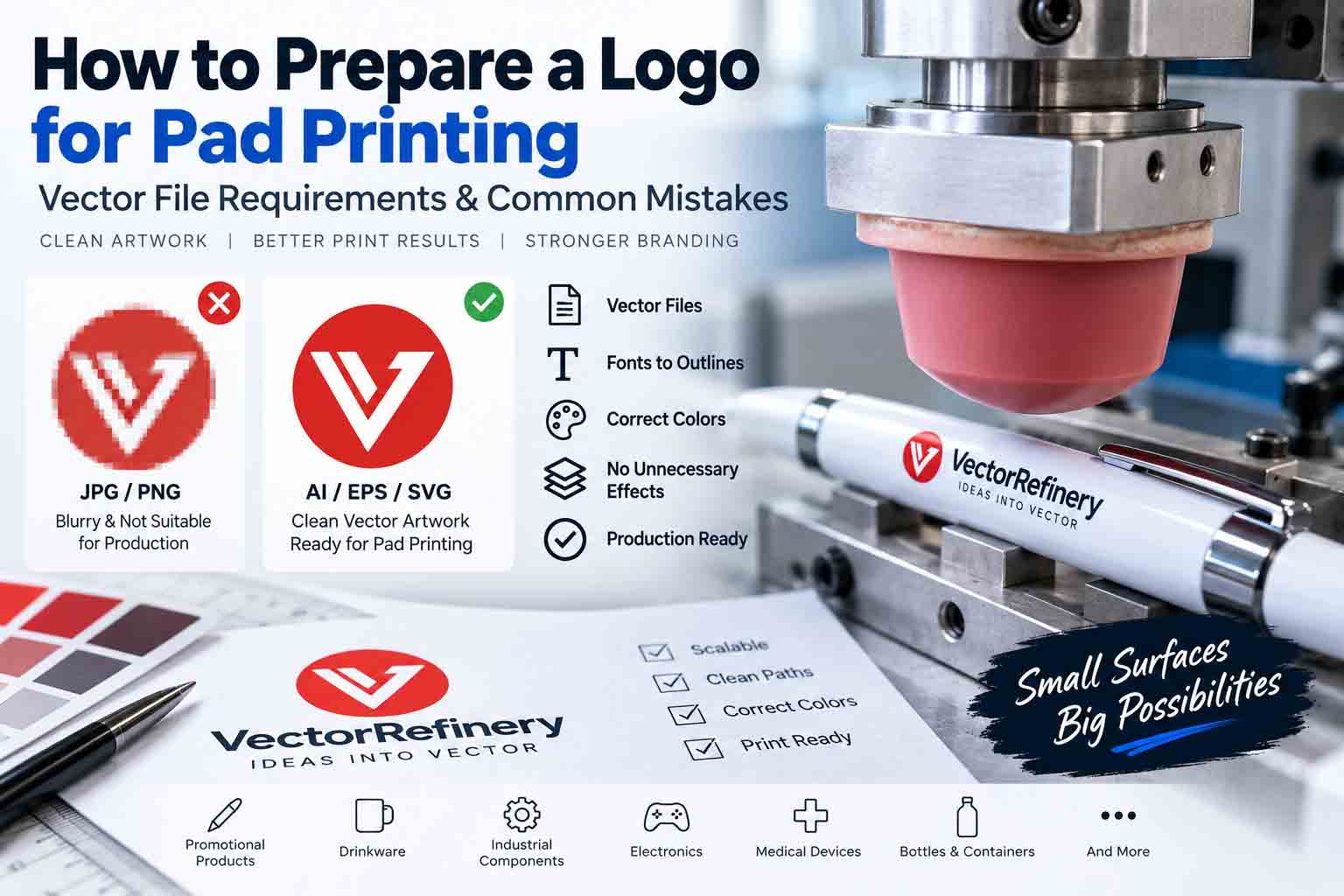
Preparing a logo for pad printing requires more than simply sending a JPG, PNG, or PDF to a print shop. Pad printing is commonly used on pens, promotional products, electronic components, plastic parts, tools, medical devices, bottles, and other products with small, curved, recessed, or irregular surfaces. Because the available print area can be very small, the quality and construction of the original artwork can have a major impact on the final result.
A logo that looks sharp on a website or computer screen may not be ready for production. Thin lines, tiny text, gradients, transparency effects, complicated details, low-resolution images, and poorly traced vectors can create problems when the artwork is prepared for printing.
For reliable production, the logo should be supplied as clean, scalable vector artwork and reviewed at the actual intended print size. This guide explains the most important pad printing artwork requirements, recommended vector file formats, common mistakes, and practical steps for preparing a logo before production.
What Is Pad Printing?
Pad printing is an indirect printing process in which ink is transferred from an engraved plate, often called a cliché, to a product using a flexible silicone pad. The flexible pad allows artwork to be transferred onto surfaces that may be difficult to print using conventional flat printing methods.
This makes pad printing useful for branding promotional merchandise, industrial components, electronic products, tools, containers, and many other small or irregularly shaped objects.
Artwork size can also depend on the specific printing equipment. For example, pad-printing equipment manufacturer Inkcups provides artwork sizing templates for particular ink-cup sizes and recommends checking whether the image fits the machine’s printable area before production.
External resource: Inkcups – Pad Printing Artwork Sizing
Because equipment and production specifications vary, always obtain the final artwork requirements from the company that will actually print the product.
Why Does a Logo for Pad Printing Need Vector Artwork?
For most logo-based production jobs, a vector logo for pad printing provides much more flexibility than a small raster image.
JPG and PNG files are pixel-based. When a low-resolution raster logo is enlarged or heavily edited, its edges can become blurry or pixelated. Vector artwork is constructed from mathematical paths and shapes, allowing the artwork to be scaled while maintaining clean edges.
More importantly, true vector artwork allows individual logo elements to be edited, recolored, simplified, and separated when required by the production workflow.
Common vector formats include Adobe Illustrator (AI), EPS, SVG, and vector PDF. However, the file extension alone does not determine whether artwork is truly vector. Placing a JPG inside Adobe Illustrator and saving it as an AI, EPS, or PDF file does not convert the underlying image into editable vector paths.
If you are unsure about the difference, read our guide on vector artwork for promotional products, which explains why production suppliers often request properly prepared vector files.
Use True Vector Paths, Not Embedded Raster Images
One of the most common production mistakes is sending an AI, EPS, or PDF file that contains nothing more than an embedded raster image.
A production-ready vector logo should contain actual editable paths, shapes, curves, and fills. When the original vector artwork has been lost, a JPG, PNG, scan, or screenshot may need to be professionally reconstructed.
Automatic tracing can provide a quick conversion, but it can also generate excessive anchor points, irregular curves, rough edges, distorted lettering, and unnecessary shapes. These issues make the artwork harder to edit and can reduce the precision of the reconstructed logo.
For logos, typography, geometric symbols, and other precision graphics, a careful manual vector redraw can create smoother curves and more controlled paths while preserving the original visual identity.
Check the Logo at Its Actual Print Size
One of the most important steps when preparing pad printing artwork is reviewing the design at approximately the physical size at which it will be printed.
A logo may look extremely clean when enlarged to 500% or 1,000% on a computer monitor, but that does not necessarily represent how it will appear when printed on a small pen, plastic component, button, tool, or promotional item.
Fine decorative details, narrow gaps, thin strokes, small counters inside letters, and tiny typography can become difficult to reproduce as the artwork gets smaller.
If important details begin to merge or disappear at the required production size, a simplified production version may be more appropriate. The goal is not to unnecessarily redesign the logo but to maintain its recognizable characteristics within the limitations of the printing process.
Avoid Extremely Thin Lines
Thin lines deserve particular attention in pad printing.
There is no single minimum line thickness that can safely be applied to every pad-printing project. The practical limit can depend on the printing equipment, cliché, ink, substrate, artwork dimensions, and production setup.
Instead of relying on a generic minimum stroke value found online, ask your print provider for its minimum recommended positive and reverse line thicknesses.
Once the printer supplies those specifications, the artwork can be checked and adjusted accordingly. This approach is more reliable than modifying the logo based on a universal value that may not apply to the actual production equipment.
Convert Logo Fonts to Outlines
Typography should normally be handled carefully before production files are delivered.
If live fonts remain in the production file, opening the artwork on another computer without the same font can cause font substitution or unexpected changes in appearance.
Converting the final production typography to outlines turns the characters into vector shapes. This helps preserve the intended letterforms and spacing when the file moves between different systems.
Keep a separate editable master file containing the original live text whenever possible. The outlined version can then be supplied for production while the editable master remains available for future brand updates.
Simplify Gradients, Transparency, and Effects When Required
Modern digital logos frequently use gradients, shadows, glows, transparency, opacity masks, and blending effects. These effects can work beautifully on websites and digital screens, but they may not translate directly to a particular pad-printing setup.
Depending on the production method, the printer may require artwork separated into simpler solid-color elements.
This is why having a clean production variation of the logo can be valuable. The original digital identity can remain unchanged while a technically appropriate version is prepared specifically for physical reproduction.
If your logo contains complex effects, our guide on transparency effects in commercial printing explains why transparency can require additional attention during production preparation.
You can also read why gradients cause problems in embroidery, vinyl, and laser production to understand why production-specific logo variations are often necessary.
Define Colors Clearly
Color should be clearly communicated when preparing a logo for pad printing.
Website colors are commonly specified using HEX or RGB values, but physical ink production works differently from screen display. Depending on the printer’s workflow, a spot-color reference such as a Pantone specification may be requested.
The final appearance of an ink color can also be influenced by the product material, substrate color, surface finish, ink formulation, and printing conditions.
For brand-critical colors, provide the available brand specifications and discuss the required color-matching process directly with the printer instead of assuming that a website HEX code will produce an identical physical result.
Pay Attention to White Underbase Requirements
Printing light colors on a dark or colored substrate may require additional production considerations. Depending on the product, ink system, and printer, an underbase or another production approach may be necessary to achieve the intended appearance.
This should be determined by the production provider rather than automatically added to every artwork file.
The same general principle appears in other printing processes. Our white underbase in screen printing guide provides additional background on why the underlying material can affect printed color.
Check Negative Space Carefully
Negative space is easy to overlook when artwork is viewed at a large size.
Small openings inside letters such as A, B, D, O, P, and R, narrow spaces between logo elements, and thin reversed details may visually close when the logo is reduced.
Always inspect these areas at the intended production size.
If the spaces become too tight, controlled adjustments may improve reproduction while preserving the visual character of the original logo.
Prepare a Strong One-Color Version
A professional logo system should ideally remain recognizable without depending entirely on gradients, shadows, or multiple colors.
For pad printing and other production methods, a clean one-color logo can be especially useful.
A typical production-ready logo package may contain the original full-color version, solid black artwork, reversed white artwork, and one-color or spot-color versions. Some logos may also benefit from a simplified version specifically designed for very small reproduction.
The purpose of these variations is not to create multiple unrelated logos. They provide controlled versions of the same identity for different production environments.
Avoid Low-Resolution JPG and PNG Artwork
A small JPG copied from a website or PNG downloaded from social media may look acceptable on a screen but still be unsuitable as production artwork.
Raster files can contain compression artifacts, blurry edges, pixelated curves, and unclear typography. Increasing the pixel dimensions of the image does not recreate missing vector information.
When the original vector logo cannot be located, manual reconstruction is often the cleanest solution. A properly rebuilt vector file provides editable paths that can be scaled, recolored, separated, and adapted for multiple production methods.
This becomes especially useful when the same brand needs artwork for pad printing, screen printing, embroidery, signage, engraving, or promotional merchandise.
For another production example, see our screen printing vector artwork guide.
Don’t Rely Blindly on Auto-Trace
Automatic image tracing is one of the fastest ways to turn pixels into vector shapes, but speed does not necessarily produce production-quality artwork.
Poorly traced logos commonly contain hundreds or thousands of unnecessary anchor points. Curves can become uneven, corners can lose their original geometry, and lettering can become distorted.
These imperfections can also make later editing unnecessarily difficult.
A manually reconstructed vector logo can use cleaner paths and controlled anchor points to create smooth curves and accurate shapes. This is especially important when the original artwork contains typography, symmetrical shapes, circles, geometric icons, or carefully balanced spacing.
| Artwork Requirement | Recommended Preparation | Why It Matters | Status |
|---|---|---|---|
| File Type | Use true vector artwork such as AI, EPS, SVG, or vector PDF. | Vector artwork remains clean and scalable and allows individual elements to be edited for production. | Recommended |
| JPG / PNG Logos | Rebuild low-resolution raster logos as clean vector paths when a proper vector master is unavailable. | Simply placing a raster image inside an AI, EPS, or PDF file does not make it true vector artwork. | Avoid as Master |
| Typography | Convert fonts to outlines in the final production copy while keeping an editable master separately. | This helps prevent missing fonts, substitutions, and unexpected changes to the logo typography. | Recommended |
| Thin Lines | Check minimum positive and reverse line requirements with the pad printing provider. | Extremely thin details may not reproduce consistently at small print sizes. | Printer Check |
| Small Text | Review all typography at the actual intended physical print size. | Text that looks readable when enlarged on screen may become unclear when printed on a small product. | Size Dependent |
| Gradients | Prepare a simplified solid-color version when required by the production process. | Some pad printing workflows may not reproduce digital gradient effects directly. | Printer Check |
| Transparency & Effects | Remove or simplify unnecessary shadows, glows, opacity masks, and transparency effects. | Clean solid shapes generally provide more predictable production artwork. | Simplify |
| Colors | Clearly identify required brand or spot colors and confirm the printer’s preferred color specification. | Screen colors such as HEX or RGB do not automatically represent the final appearance of physical ink. | Define Clearly |
| Negative Space | Check small gaps, letter counters, and reversed details at actual print size. | Narrow spaces may visually close when the logo is reproduced at a very small size. | Inspect |
| One-Color Version | Prepare black, white/reversed, or appropriate spot-color versions of the logo. | A clean one-color version gives production vendors greater flexibility for different products and printing setups. | Recommended |
| Auto-Trace | Use clean manual vector reconstruction for precision logos when automatic tracing creates poor paths. | Auto-tracing can introduce excessive anchor points, uneven curves, distorted letters, and unnecessary shapes. | Use Carefully |
| Final Preflight | Confirm print size, file format, colors, line limits, and other specifications with the actual printer. | Pad printing requirements can vary by equipment, ink, substrate, product, and production workflow. | Essential |
Common Pad Printing Artwork Mistakes
Many production delays are caused by relatively simple artwork problems. A raster image may be placed inside an Illustrator file and incorrectly assumed to be vector. Fonts may remain unresolved, colors may not be clearly identified, or important details may simply be too small for the intended print area.
Other common issues include unnecessary clipping masks, hidden objects, duplicate paths, transparency effects, excessively complicated vectors, poor auto-tracing, extremely thin lines, and insufficient negative space.
Another mistake is assuming that a logo prepared for one production process will automatically be optimized for every other process.
A logo used for pad printing may require different preparation from artwork intended for screen printing, embroidery, vinyl cutting, laser engraving, or standard digital use.
Pad Printing Artwork Preflight Checklist
Before sending your final artwork to a pad printing company, open the file and inspect it carefully at the actual intended print dimensions. Confirm that the logo contains true vector paths rather than an embedded low-resolution image, typography is handled appropriately, colors are clearly identified, and small details remain readable.
Check for unnecessary clipping masks, duplicate shapes, hidden elements, accidental transparency, open paths, and excessive anchor points. Make sure negative spaces remain open and thin lines comply with the specifications supplied by the printer.
Finally, confirm the required file format, print dimensions, number of colors, spot-color requirements, and any special artwork instructions directly with the production provider.
Why Professional Vector Preparation Matters
Good vector preparation is not simply about making an image scalable.
A properly constructed vector file gives designers, printers, and production teams more control over individual elements. It makes recoloring, resizing, color separation, simplification, and future editing easier.
Clean master artwork can also be adapted for multiple applications without repeatedly rebuilding the same logo.
This is particularly valuable for businesses that need consistent branding across promotional products, apparel, packaging, signage, embroidery, digital platforms, and commercial printing.
Need a Logo Prepared for Pad Printing?
If your logo is currently available only as a JPG, PNG, screenshot, scan, or poorly traced file, VectorRefinery can manually rebuild the artwork into clean, scalable vector files.
We focus on accurate manual vector reconstruction with smooth curves, controlled anchor points, clean geometry, and organized artwork rather than relying on a quick automatic trace.
Depending on your requirements, final files can be prepared in AI, EPS, SVG, PDF, transparent PNG, black, white, and one-color variations for professional production workflows.
If the artwork needs additional preparation for a particular printer, send us the printer’s artwork specifications along with your existing logo. The vector file can then be prepared around the actual production requirements instead of relying on generic assumptions.
Get your logo print-ready in 24 hours
Upload your PNG, JPG, or screenshot. A free assessment with exact price and turnaround is included before you pay anything.
Final Thoughts
Preparing a logo for pad printing is about much more than choosing the correct file extension. The artwork needs to be genuinely vector-based, cleanly constructed, readable at its intended physical size, and appropriate for the specific production environment.
Line thickness, typography, negative space, colors, gradients, transparency, and small details should all be evaluated before production. Most importantly, technical requirements should always be confirmed with the actual pad printing provider because equipment, inks, substrates, and production methods can vary.
Starting with clean, professionally prepared vector artwork gives the printer a better production file and helps reduce avoidable artwork corrections.
Have only a JPG, PNG, screenshot, or low-quality logo? Send your artwork to VectorRefinery for a clean manual vector rebuild and production-ready files.
Published by Vector Refinery — Professional Manual Logo Vectorization and Production File Preparation Service. Visit vectorrefinery.com to upload your logo and get a free assessment today.
