

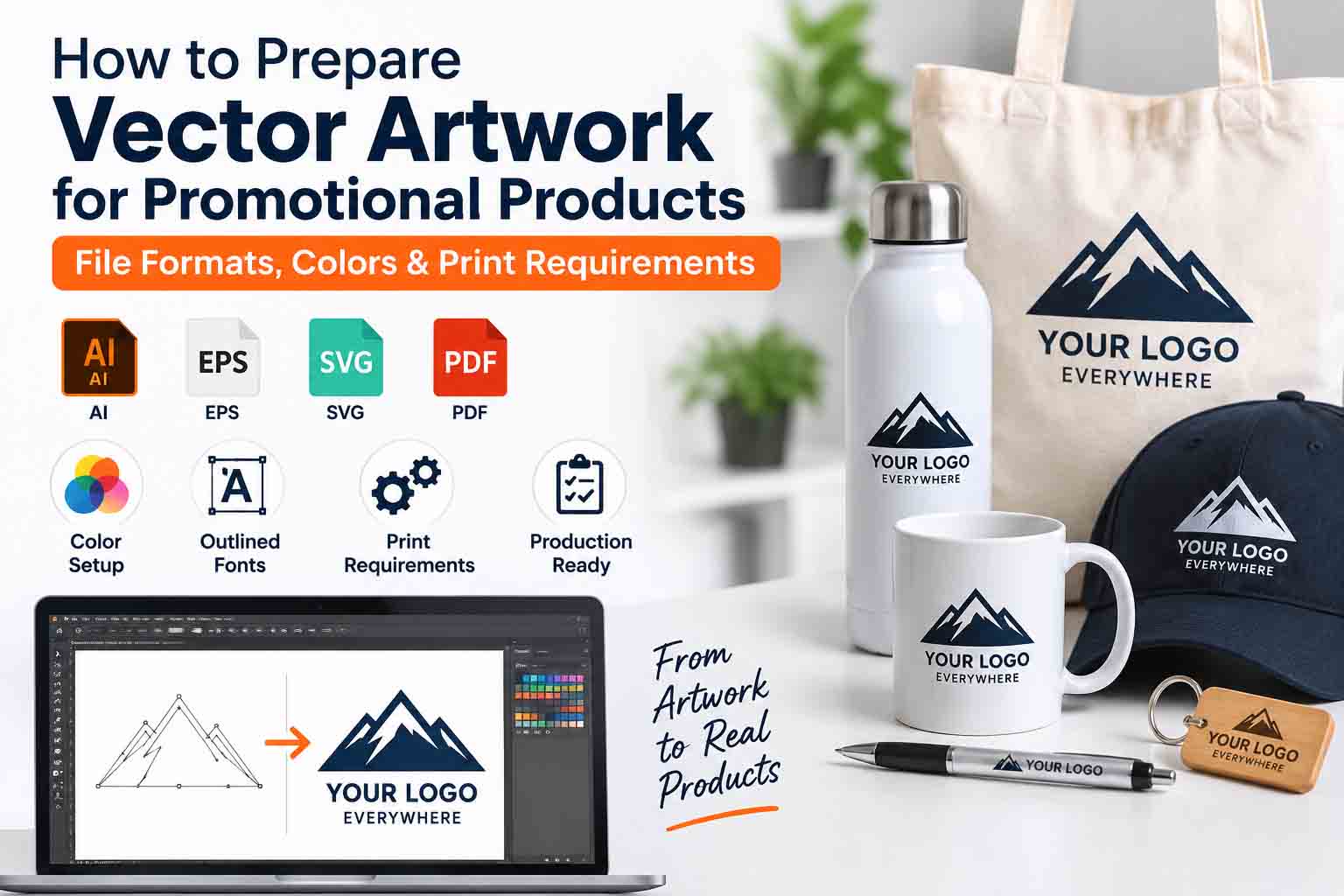
Vector artwork for promotional products needs to be prepared carefully before it goes to print or production. A logo that looks perfectly sharp on a website or computer screen may still cause problems when applied to a T-shirt, mug, pen, tote bag, water bottle, cap, or other branded merchandise.
The main issue is usually not the logo design itself, but how the artwork has been prepared for the final production method.
The problem is usually not the logo itself. It is the way the artwork has been prepared.
Promotional products can be produced using screen printing, pad printing, embroidery, laser engraving, vinyl cutting, digital printing, and several other methods. Each process handles artwork differently. A file that works for one method may need adjustments before it can be used for another.
Preparing clean vector artwork before production helps reduce delays, unexpected color changes, missing details, and unnecessary artwork setup.
Why Vector Artwork Is Preferred for Promotional Products
Professional printers and promotional product suppliers often request vector artwork because it can be scaled without the same pixel-based limitations as raster artwork.
Vector graphics are constructed from paths and anchor points. These paths define the shapes, curves, fills, and strokes that make up the artwork. Adobe’s explanation of paths in vector graphics describes paths as the basic building blocks of vector drawings.
This makes a properly built vector logo much more flexible for production.
The same master artwork can potentially be adapted for a small pen, a shirt, a promotional bag, or a large display without simply enlarging pixels.
JPG and PNG files work differently. They are raster images made from pixels. A high-resolution raster image can be useful for some digital printing methods, but it does not provide the editable paths needed for many production workflows.
If your logo currently exists only as a JPG, PNG, screenshot, or scan, professional manual vector conversion can rebuild the artwork as clean, editable vector paths.
Which File Format Should You Send?
There is no single file format that every promotional product supplier uses. AI, EPS, SVG, and vector PDF are common choices, but the supplier’s own specifications should always come first.
Here is a practical overview:
| File Format | Best Use | Important Note |
|---|---|---|
| AI | Professional editing and commercial production | Keeps Illustrator vector artwork editable |
| EPS | Printers, sign shops and older production workflows | Widely used for exchanging vector artwork |
| SVG | Scalable graphics, cutting and compatible production systems | Lightweight and maintains vector paths |
| Vector PDF | Proofing, sharing and many print workflows | Confirm that artwork inside is actually vector |
| PNG | Digital printing, previews and transparent-background use | Raster format, not an editable vector file |
| JPG | Preview/reference images and some raster printing | Not suitable when true vector paths are required |
When sending artwork to a supplier, ask which format their production department prefers rather than assuming.
For important logos, keeping AI, EPS, SVG, and vector PDF master files gives you more flexibility for future production.
A Vector Extension Does Not Guarantee Vector Artwork
This is an important distinction.
Saving a JPG inside Adobe Illustrator as an AI, EPS, or PDF file does not magically convert the image into vector artwork.
The container may be a vector-capable file format while the actual logo inside remains a raster image.
True vector artwork should contain paths and editable shapes rather than simply an embedded bitmap. When inspected in a vector editor, you should be able to select the individual vector elements and see the paths and anchor points.
This is particularly important when a supplier needs to separate colors, modify individual shapes, create cutting paths, or adapt the artwork to a particular machine.
If the original artwork is low quality, manually rebuilding it is usually cleaner than simply embedding the original image in another file format.
You can see examples of manual vector redraws in our portfolio.
Convert Fonts to Outlines for Production
Fonts are another common source of production problems.
Imagine that your logo uses a particular typeface but the print shop does not have that font installed. If the production file contains live text, another font may be substituted when the file is opened.
Even a small substitution can change the width, spacing, proportions, and overall appearance of the logo.
For a final production copy, converting the logo text to outlines is generally a safer approach. Once the text has been outlined, the letters behave as vector shapes and no longer depend on the printer having the original font installed.
However, keep your editable master file with live text separately.
That gives you two useful versions: an editable master for future changes and an outlined production version for suppliers.
Set Up Colors for the Actual Printing Method
One of the biggest mistakes in promotional product artwork is assuming that a color displayed on a monitor will look exactly the same when printed.
Screens commonly use RGB, while commercial production may use CMYK, spot inks, Pantone references, or another color system determined by the production process.
Pantone explains that CMYK creates colors using process inks, while spot colors are individually formulated solid inks. Spot colors are particularly useful where consistent corporate or logo colors are important. You can read Pantone’s spot vs. process color explanation for more detail.
For brand artwork, it is useful to maintain clearly defined color specifications where applicable, such as:
RGB for screen and digital use
HEX for web applications
CMYK for process printing
Pantone/spot references when a production process requires specified solid inks
Do not choose a production color only by looking at your monitor.
The material being printed on, ink, equipment, production process, and substrate can all influence the final appearance.
Spot Colors vs. CMYK for Promotional Products
Some promotional products are produced with a small number of solid inks rather than full-color process printing.
For example, a supplier may need each logo color separated so that it can be treated as an individual production color.
A three-color logo may therefore require three clearly defined colors rather than one flattened image.
This is one reason clean vector artwork is so valuable. Individual objects and colors can be identified and adjusted without rebuilding the complete logo.
Pantone also notes that spot colors and CMYK do not necessarily produce identical results. Their color-space guidance explains how the reproduction method affects achievable colors.
If matching a corporate brand color is critical, discuss the intended color specification with the supplier before production begins.
Be Careful With Gradients, Shadows and Transparency
Gradients can look excellent on a monitor and still create problems in production.
The same is true for transparency, drop shadows, glows, blending modes, and other effects.
Whether these effects are acceptable depends on the production process.
Full-color digital printing may reproduce a gradient successfully, while embroidery, vinyl cutting, laser engraving, or simple spot-color printing may require a much simpler version.
This does not always mean redesigning the logo.
Often, a production-specific version can preserve the identity of the original logo while replacing effects that the chosen manufacturing process cannot reproduce reliably.
If your logo uses these effects, read our guide on why gradients cause problems in embroidery, vinyl cutting and laser engraving.
Clean Up Clipping Masks, Duplicate Paths and Hidden Objects
Artwork files tend to become messy over time.
A file may contain clipping masks, duplicate objects, invisible shapes, unused paths, stray anchor points, or objects hidden behind the visible logo.
You may never notice them in normal preview mode.
Production software may.
Before supplying a final file, inspect the artwork carefully and remove elements that are not actually required.
Using Outline view in a vector editor is particularly useful because it lets you see the underlying path structure rather than only the finished appearance.
The goal is not to make the artwork unnecessarily simple. It is to make sure every object in the production file has a purpose.
Check Thin Lines, Small Text and Negative Spaces
Never judge production artwork only while zoomed in on your monitor.
At 500% zoom, almost every small detail looks clear.
The real question is what happens when the logo is reproduced at its final size.
A promotional pen may have a very small printable area. A logo embroidered on a cap behaves differently from the same logo printed across the front of a large tote bag.
Thin strokes may disappear. Tiny gaps can close. Small text may become unreadable, and detailed shapes can merge together.
The exact minimum size depends on the printing method, equipment, substrate, ink, thread, and supplier. There is no single measurement that safely applies to every promotional product.
For that reason, check the artwork at approximately its intended production size and ask the supplier for their minimum line, gap, and text requirements.
Prepare a One-Color Logo Version
A professional logo package should include a usable one-color version.
Promotional product suppliers frequently need artwork in solid black, solid white, or one specified spot color.
This is especially useful for applications such as laser engraving, embossing, debossing, vinyl cutting, embroidery, and simple one-color printing.
Do not assume that converting a full-color logo to grayscale will automatically create a production-ready one-color version.
If the original identity depends on gradients, overlapping transparent objects, or multiple colors to separate shapes, the one-color artwork may need careful adjustment.
The goal is to preserve the recognizable structure of the logo while making it work as a single solid-color graphic.
Consider the Product Background
A logo does not exist in isolation once it reaches production.
The product itself becomes the background.
A black logo may work perfectly on a white mug but disappear on a black bottle. A white logo can solve the contrast problem, but certain printing methods on dark products may require additional production preparation.
For screen printing on dark materials, for example, a white underbase may be used beneath other inks. Our guide to white underbase in screen printing explains why it can affect logo color and production.
For flexible brand use, prepare at least a normal version for light backgrounds and a reversed or white version for dark backgrounds.
Get your logo print-ready in 24 hours
Upload your PNG, JPG, or screenshot. A free assessment with exact price and turnaround is included before you pay anything.
Artwork Requirements by Production Method
Different production methods interpret artwork differently. This table gives a practical starting point, but the final specifications should always come from the company producing the item.
| Production Method | Preferred Artwork | Color Considerations | Common Problems |
|---|---|---|---|
| Screen Printing | Clean vector shapes | Spot colors or separated process colors depending on job | Gradients, very fine details, poor separation |
| Pad Printing | Simplified vector artwork | Often limited solid colors | Tiny details and overly complex artwork |
| Embroidery | Simplified, clearly defined artwork | Thread colors rather than screen colors | Thin lines, tiny text, gradients |
| Laser Engraving | Clean paths/shapes based on shop workflow | Usually interpreted differently from normal color printing | Open paths, complex effects, tiny details |
| Vinyl Cutting | Clean closed vector paths | Usually solid colors | Overlapping paths, tiny gaps, excessive detail |
| Digital Printing | Vector or suitable high-resolution raster artwork | Often full color | Low resolution, incorrect color setup |
| Debossing / Embossing | Simplified solid vector artwork | Usually no traditional printed color | Fine details and complex tonal effects |
The table is a general guide, not a replacement for the printer’s artwork specifications.
For engraving in particular, see our detailed guide on how to prepare a logo for laser engraving.
Check the Artwork at Final Size
Before sending the file, create a realistic preview at the approximate production size.
This simple step can reveal problems that are easy to miss while editing.
Can you still read the small text?
Are the gaps between shapes still visible?
Do thin lines maintain enough visual weight?
Does the logo remain recognizable when reduced?
If something becomes unclear in the preview, do not assume the production machine will fix it.
It may be better to create a simplified small-size version of the logo for promotional applications while keeping the full master logo unchanged.
What Should You Send to a Promotional Product Supplier?
A well-prepared production package does not need to contain dozens of confusing files.
For most jobs, a clean vector master in the supplier’s requested format is the starting point.
Depending on the product and printing process, you may also provide a vector PDF, outlined-text version, one-color version, reversed/white version, and clearly documented color references.
If you are unsure, ask the supplier these questions before sending the final artwork:
Which file format do you prefer?
Do you need CMYK, Pantone, or spot colors?
Should all text be outlined?
Are gradients or transparency supported?
What is the minimum line thickness and text size?
Do you need a one-color version?
What is the exact imprint area?
Do you have an artwork template for this product?
Getting these answers before production is usually much easier than correcting rejected artwork afterward.
Pre-Production Vector Artwork Checklist
Before submitting the artwork, check the file one final time.
| Check | What to Confirm |
|---|---|
| Vector paths | Required elements are true vector objects rather than embedded raster images |
| Fonts | Production copy has text outlined where required |
| Colors | Colors follow the supplier’s requested system |
| Gradients/effects | Supported by the intended production process |
| Paths | No unnecessary duplicate, stray, or problematic paths |
| Small details | Suitable for the final imprint size |
| One-color version | Available if the process requires it |
| Dark-background version | White/reverse artwork available where needed |
| Scale | Artwork matches the intended size or supplier template |
| File format | Correct format confirmed with the supplier |
This final check can prevent many of the problems that lead to rejected files or last-minute artwork changes.
What If You Only Have a JPG or PNG Logo?
This is extremely common.
You may have inherited an old logo, downloaded it from a website, received only a PNG from a previous designer, or lost the original source files.
Simply changing the file extension will not restore the original vector artwork.
When clean vector paths are required, the logo may need to be manually recreated.
A careful redraw can reproduce the shapes, typography, spacing, and proportions while creating a much cleaner master file for future production.
At Vector Refinery, we provide manual vector conversion services for logos and artwork that need clean, editable production files.
You can also review our vector redraw portfolio to see examples of raster artwork rebuilt as clean vector graphics.
Final Thoughts
Preparing vector artwork for promotional products is about much more than saving a logo as an EPS or AI file.
The actual artwork needs to suit the production method.
Clean vector paths, appropriate colors, outlined production text, usable one-color versions, sensible detail levels, and the correct file format all make it easier for a supplier to reproduce your logo accurately.
Most importantly, do not assume that every printer, engraver, embroiderer, or promotional product company has identical requirements.
Ask for the supplier’s specifications first, then prepare the artwork around the actual product and production method.
That approach reduces guesswork and gives your logo a much better chance of looking the way it was intended.
Need Production-Ready Vector Artwork?
If your logo is only available as a JPG, PNG, screenshot, scan, or low-quality file, Vector Refinery can manually recreate it as clean, editable vector artwork.
We focus on manual redraw and production-friendly paths rather than simply placing a raster image inside a vector file.
Depending on your requirements, final files can be prepared in AI, EPS, SVG, vector PDF, PNG, and JPG, along with suitable color and one-color variations.
Get your artwork prepared for production
Frequently Asked Questions
What is the best vector file format for promotional products?
AI, EPS, SVG, and vector PDF are commonly used. There is no universal best format because production software and supplier workflows differ. Always ask the supplier which format they prefer.
Can I send a PNG logo for promotional product printing?
Sometimes. Certain digital printing methods can use high-resolution raster artwork, but many other production methods require editable vector artwork. If the supplier specifically requests vector paths, a PNG is not a substitute.
Is an EPS file always a vector file?
No. An EPS file can contain raster artwork. Placing a JPG or PNG inside an EPS does not turn the underlying image into clean vector paths.
Should logo fonts be outlined before printing?
For a final production copy, outlining text is often useful because it removes dependency on the printer having the same font installed. Keep a separate editable master file with live text for future changes.
Should promotional product artwork use RGB or CMYK?
It depends on the production process. Some jobs use CMYK, while others use Pantone or other spot-color specifications. RGB is primarily associated with screen display. Confirm the required color system with the supplier before production.
Can gradients be used on promotional products?
It depends on the printing method. Some digital processes can reproduce gradients, while processes such as simple spot-color printing, vinyl cutting, engraving, and embroidery may require simplified artwork.
Do I need a separate one-color logo?
It is strongly recommended. A clean one-color logo provides much more flexibility for engraving, embroidery, vinyl, embossing, debossing, and limited-color promotional printing.
Published by Vector Refinery — Professional Manual Logo Vectorization and Production File Preparation Service. Visit vectorrefinery.com to upload your logo and get a free assessment today.
